Ricoh GR IV Recipes: Best Film Looks and How to Load Them
Quick answer
The best Ricoh GR IV recipes are the proven GR III ones, because the GR IV keeps every GR III Image Control and the same adjustable parameters. Load three: Kodak Gold 200 (Negative Film) in Custom 1 for daylight color, Indigo Film 800 (Retro) in Custom 2 for night, and Ilford HP5 B&W (Hard Monotone) in Custom 3. Set white balance yourself, then save each look in the GR WORLD app so you can swap recipes from your phone.
Search for Ricoh GR IV recipes and you mostly find GR III recipe lists with no word on whether they still work. They do, and the GR IV is actually the better recipe camera: it has a third custom slot, two new Cinema modes and a phone app that can write a saved look straight into the camera.
This guide covers which recipes to load first, the settings for each, how the GR WORLD app fits in, and the cases where a recipe will not carry over. We build our presets on the GR III and have not shot a GR IV ourselves yet, so every GR IV detail below comes from Ricoh's official specification, firmware and app pages and DPReview's review, all read on October 8, 2026.
Do GR III recipes work on the Ricoh GR IV?
Yes. Ricoh's spec pages show the GR IV keeps all twelve classic Image Control modes from the GR III/GR IIIx and adds two:
| GR III / GR IIIx | GR IV | GR IV Monochrome | |
|---|---|---|---|
| Classic modes (Standard, Vivid, Positive Film, Negative Film, Retro, Bleach Bypass, Cross Processing, HDR Tone, the Monotone family) | Yes | Yes | No |
| Cinema (Yellow), Cinema (Green) | No | Yes | No |
| Custom Image Control slots | 2 | 3 | 3 |
| White balance fine adjustment | ±14 steps A-B / G-M | ±14 steps A-B / G-M | No white balance |
| GR WORLD Image Control write | No | Yes, firmware 1.04+ | Not stated by Ricoh |
The adjustable parameters are the same list on the GR III and GR IV: saturation, hue, high/low key, contrast, highlight and shadow contrast, sharpness, shading, clarity, toning, filter effect, grain, HDR tone level and color tone. A recipe is just a set of values for those parameters plus a white balance, so it goes in unchanged.
The one variable is the sensor. The GR IV uses a new back-illuminated APS-C sensor of about 25.74 megapixels and Ricoh's GR ENGINE 7, and DPReview finds its default colors "a bit more pleasing than the GR III's." Same numbers, new sensor: expect small differences in color, mostly in white balance, and check your first few frames.
Our pick: enter recipes exactly as written, shoot ten frames in daylight, and only then nudge the amber-blue axis by one or two steps if skin or concrete looks off.
The three Ricoh GR IV recipes to load first
The third custom slot changes how you should think about recipes. On a GR III you pick two looks and swap them as conditions change. On a GR IV you can cover a full day, light to dark, without opening a menu. Here is the setup we recommend, using our own presets.
Custom 1: Kodak Gold 200 for daylight color
Warm, saturated color for sunny streets, travel and people. Our Kodak Gold 200 recipe is built on Negative Film:
| Setting | Value |
|---|---|
| Image Control | Negative Film |
| Saturation | +4 |
| Hue | 0 |
| High/Low Key | -1 |
| Contrast | -2 |
| Contrast (Highlight) / (Shadow) | 0 / -1 |
| Sharpness | +2 |
| Clarity | +2 |
| White balance | Color Temperature 6900K, A5 M4 |
The fixed 6900K is the reason we like it as a first GR IV test. With a Kelvin value you set the number yourself, so if the new sensor renders warmer or cooler, you change one value instead of guessing what auto white balance did.
Custom 2: Indigo Film 800 for night streets
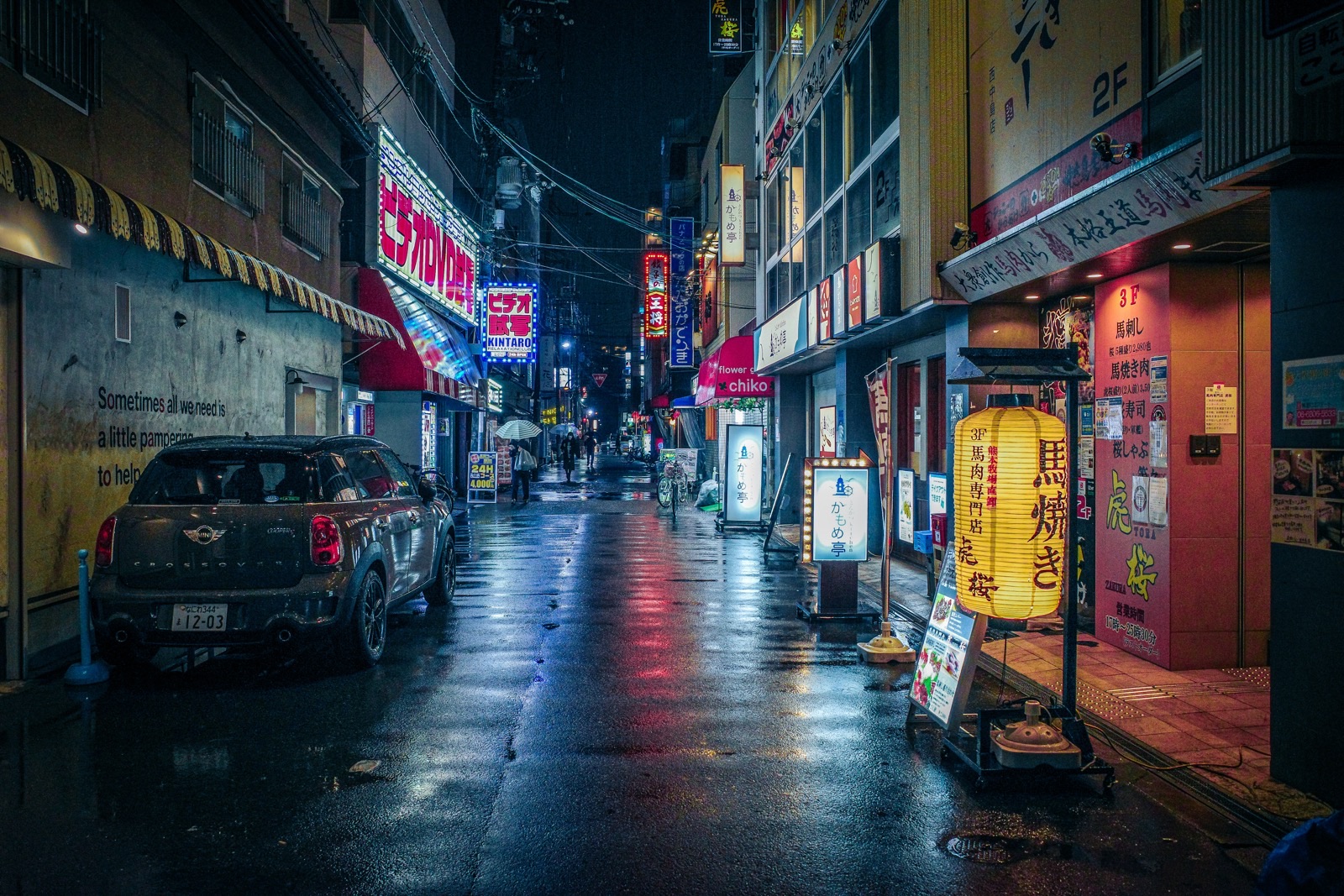
Night is where the GR IV earns its keep, so it deserves its own slot. Our Indigo Film 800, a CineStill 800T-inspired look, uses Retro as the base:
| Setting | Value |
|---|---|
| Image Control | Retro |
| Saturation | +4 |
| Hue | +2 |
| Contrast | 0 |
| Contrast (Highlight) / (Shadow) | +2 / +3 |
| Sharpness | +4 |
| Toning | +1 |
| Clarity | -2 |
| White balance | Fluorescent, Cool White, B1 M3 |
The GR IV lists the same fluorescent "Cool White" preset as the GR III, so the white balance carries over too. Expect neon, wet asphalt and sodium light to turn teal and red.
Custom 3: Ilford HP5 B&W for everything else
Overcast days, harsh midday light and mixed lighting all look better in black and white. Our Ilford HP5 B&W recipe:
| Setting | Value |
|---|---|
| Image Control | Hard Monotone |
| High/Low Key | +1 |
| Contrast | +4 |
| Contrast (Highlight) / (Shadow) | +2 / +3 |
| Clarity | -2 |
| Grain Effect | Strong |
| White balance | Cloudy, A10 G10 |
If you prefer clean, punchy blacks over grit, swap in Dramatic Monochrome, built on Hi-Contrast B&W.
Our pick: this exact trio. If your street work is more documentary than nightlife, replace Custom 2 with the muted Classic Chrome look and keep a night recipe in a User mode instead.
How to load recipes with the GR WORLD app
Ricoh describes GR WORLD as an app made exclusively for the GR series. Its Image Control save/write function is the most interesting part for recipe shooters, and its limits matter. According to Ricoh's GR WORLD page:
- It works on the GR IV with firmware 1.04 or later. Ricoh states the GR III, GR IIIx and GR II do not support it.
- You save an Image Control from a photo taken with a GR IV: import the image, tap the Image Control icon, name it (up to 32 characters) and save.
- You write a saved Image Control to Custom 1, 2 or 3 from the app's home screen.
- The app cannot read settings directly from the camera, and Image Controls saved from GR Gallery images cannot be renamed.
Ricoh's page describes saving and writing Image Control parameters; it does not say white balance travels with them. Treat white balance as a camera setting you set yourself.
The practical workflow, then:
- Enter each recipe by hand once, using our guide on how to apply presets.
- Shoot one frame with each recipe.
- Import those frames into GR WORLD and save each Image Control under the recipe name.
- From now on, swap recipes between the three slots from your phone in a few taps.
This turns three slots into a library. You can keep ten recipes in the app and write the right ones in before a trip, a night walk or a wedding. Your current GR IV firmware is listed on Ricoh's support page; at the time of writing the latest is version 1.11, released February 13, 2026, so you are past 1.04 if you have updated.
Cinema Yellow and Cinema Green: the GR IV-only bases
Ricoh describes the new Cinema mode as a choice of yellow or green tone, with saturation, hue, key, contrast and grain adjustable. Nothing on the GR III maps to it, so no GR III recipe uses it.
We have not built a preset on Cinema modes yet, and we will not publish settings we have not tested. What we can say from how Ricoh describes them: they are the closest base on any GR to a motion-picture stock, and the closest match on a GR to Fujifilm's Eterna, as we explain in our Fujifilm recipes vs Ricoh recipes comparison. If you experiment, start from default parameters, change one setting at a time, and keep your best result in GR WORLD so you can return to it.
GR IV HDF and GR IV Monochrome: what changes for recipes
GR IV HDF. Ricoh's spec lists the Highlight Diffusion Filter as an on/off setting on the HDF model. It is a physical filter, so it acts on the light before the Image Control is applied, so any recipe still loads the same way, with softer highlights on top. If you shoot Indigo Film 800 on an HDF body, the filter adds glow that pairs well with a CineStill-style look. Our HDF vs standard guide covers when to switch it on.
GR IV Monochrome. This is the exception. Its Image Control set is different: Standard, Solid, Soft, Hi-Contrast, Grainy, HDR Tone and three custom slots. There is no Hard Monotone, no film bases and no white balance. Even our black-and-white recipes rely on modes and white balance shifts that the Monochrome body does not have, so none of our presets transfer to it as written.
Mistakes we see all the time
- Assuming the app stores white balance. Ricoh's page only describes Image Control parameters. Write a recipe from GR WORLD, then set the white balance on the camera, or your Kodak Gold will come out on auto white balance.
- Skipping the firmware update. The save/write function needs firmware 1.04 or later. Check before you blame the app.
- Trying to save from GR III files. GR WORLD saves Image Controls only from GR IV photos. Old GR III JPEGs will not work as a source.
- Filling all three slots with color. Three warm recipes is one recipe in practice. Spread the slots across light conditions: day, night, black and white.
- Buying color recipes for a GR IV Monochrome. They do not transfer. Check which body you have.
In short
The best Ricoh GR IV recipes are the GR III recipes you already trust, because every base mode and parameter carries over. Load a daylight color look, a night look and a black-and-white look into the three custom slots, set white balance on the camera, and use GR WORLD to swap recipes from your phone. Still deciding on the body? Our Ricoh GR IV review covers what changed from the GR III and who should upgrade.
Set up all three slots in one sitting: get the Kodak Gold 200 recipe ($1.99) for daylight, then add the Night & Cinema bundle for after dark, or take the Complete Collection and fill your GR WORLD library with all 18 recipes.
Frequently asked questions
Do Ricoh GR III recipes work on the GR IV?
Yes. Ricoh's specification pages list the same twelve classic Image Control modes on both cameras, from Positive Film and Negative Film to Retro, Bleach Bypass and Hard Monotone, and the same adjustable parameters, including saturation, hue, key, highlight and shadow contrast, clarity, toning and grain. The white balance fine adjustment is ±14 steps on both. Enter the recipe as written, then check white balance on your first shots, since the GR IV has a new 25.74MP sensor.
How many custom Image Control slots does the Ricoh GR IV have?
Three. Ricoh's GR IV specification page lists Custom1, Custom2 and Custom3 in the Image Control menu, against two custom slots on the GR III and GR IIIx. In practice that means you can keep a daylight color recipe, a night recipe and a black-and-white recipe loaded at the same time without re-entering any settings.
Can I load recipes onto the GR IV with the GR WORLD app?
Yes, with a catch. Ricoh's GR WORLD page says the Image Control save/write function works on the GR IV with firmware 1.04 or later. You save an Image Control from a photo taken with a GR IV, give it a name of up to 32 characters, and write it to Custom 1, 2 or 3. You cannot type a recipe into the app from scratch, and the page does not say white balance is included, so set it on the camera.
What are the Cinema Yellow and Cinema Green modes on the GR IV?
They are the two Image Control modes the GR IV adds over the GR III. Ricoh calls them a new Cinema mode with a choice of yellow or green tone, and says saturation, hue, key, contrast and grain can be adjusted. They are the closest thing on any GR to a motion-picture film base. We have not built a preset on them yet, so treat them as a starting point to experiment with.
Do color recipes work on the Ricoh GR IV Monochrome?
No. Ricoh's GR IV Monochrome specification lists its own Image Control set: Standard, Solid, Soft, Hi-Contrast, Grainy, HDR Tone and three custom slots. There is no Negative Film, Positive Film or white balance setting, because the sensor has no color filter. Black-and-white recipes need to be rebuilt around those modes, so do not buy a color recipe for that camera.
Sources: ricoh-imaging.co.jp · ricoh-imaging.co.jp · ricoh-imaging.co.jp · ricoh-imaging.co.jp · ricoh-imaging.co.jp · us.ricoh-imaging.com · dpreview.com