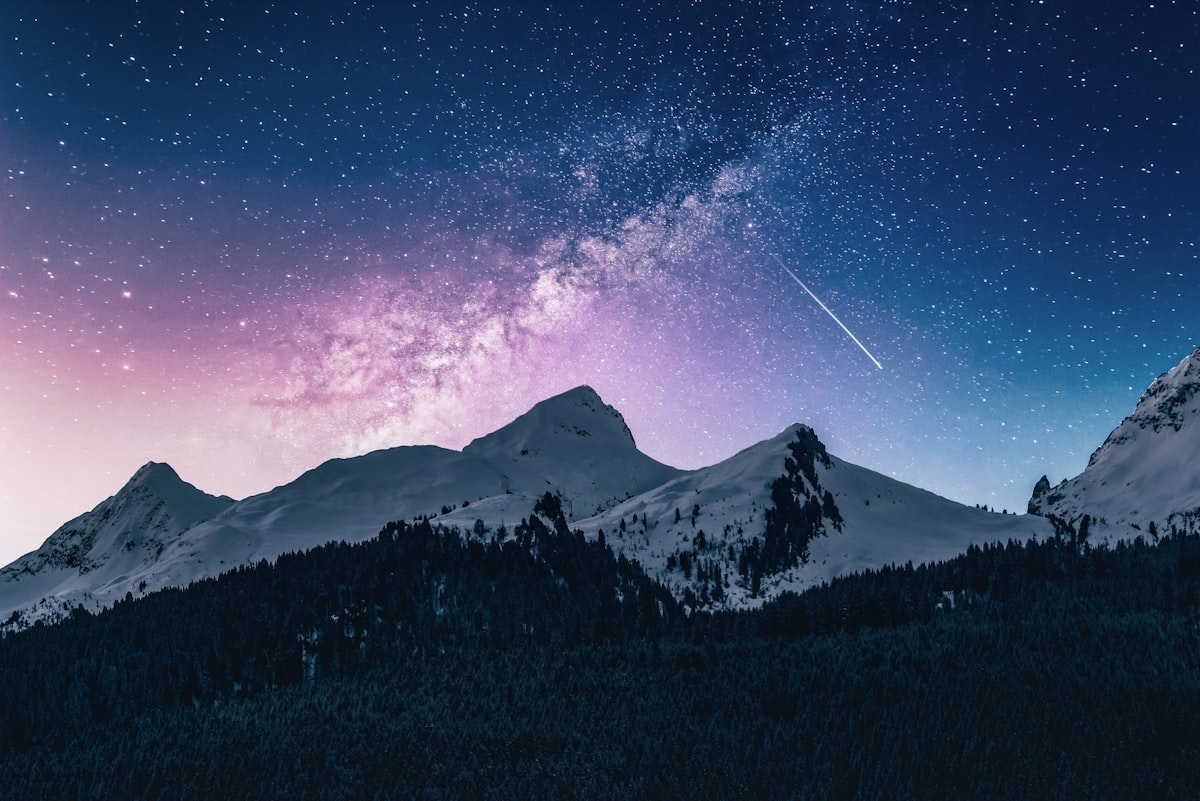
Ricoh GR IV and GR III Astrophotography: Milky Way Settings
Quick answer
Yes. The Ricoh GR IV and GR III are good pocket astrophotography cameras for wide Milky Way landscapes and star trails, not for deep-sky detail. Use a tripod, manual mode, f/2.8, 10–15 seconds and ISO 1600–3200, set focus to ∞ and confirm it on a bright star, fix white balance around 4000–4500K, and stack 10–20 frames. The GR IV adds stronger stabilization and edge sharpness, but on a tripod both cameras perform similarly.
A Ricoh GR is not the camera most people pack for the Milky Way, and that is why it ends up under so many dark skies. It weighs about 257g with battery and card (GR III) or 262g (GR IV), according to Ricoh's spec sheets, so it comes along on the hikes where a tripod-and-zoom kit stays in the car.
This guide answers the question we see most in search, whether the GR IV and GR III are good for astrophotography, then gives the exact settings, a focusing method that works, four JPEG recipes for night skies, and the mistakes that ruin a session. It is a settings guide built on Ricoh's specifications and published reviews; the recipes are our own.
Is the Ricoh GR IV good for astrophotography?
Yes, for wide starry landscapes, Milky Way panoramas and star trails. No, if you want faint nebulae or dense star clouds: a 28mm-equivalent f/2.8 lens gathers far less light than an f/1.4 astro lens. Here is what matters for night skies, from Ricoh's spec pages and DPReview's GR IV review.
| Night-sky spec | GR IV | GR III |
|---|---|---|
| Sensor | 25.74MP APS-C, 23.3 x 15.5mm | 24.24MP APS-C, 23.5 x 15.6mm |
| Lens | 18.3mm (28mm eq.), f/2.8–f/16 | 18.3mm (28mm eq.), f/2.8–f/16 |
| ISO | 100–204800 | 100–102400 |
| Longest exposure | 30s, Timed 10s–20min, Bulb, Time | 30s, Timed 10s–20min, Bulb, Time |
| Star trails | Interval Composite | Interval Composite |
| Noise reduction | Slow Shutter Speed NR, High-ISO NR | Slow Shutter Speed NR, High-ISO NR |
| Stabilization | 5-axis, up to 6 steps | 3-axis, 4 steps |
| Weight with battery and card | about 262g | about 257g |
Three points decide it:
- On a tripod the two cameras are close. Same focal length, same aperture, same exposure options. The GR IV's stabilization advantage, its headline upgrade, does nothing for a locked-down 15-second exposure.
- The GR IV's edges are better. DPReview found its lens "almost as good at F2.8 as it is at F5.6" at the edges, with the very corners still softer wide open. For a sky full of point sources, cleaner edges are a real gain.
- Watch high ISO on the GR IV. DPReview reports that the GR IV "is clearly applying noise reduction to its Raws" at high ISOs. Noise reduction can smear the faintest stars, so we cap the GR IV at ISO 3200 and stack frames rather than push ISO higher.
Our pick: If you already own a GR III, it is just as capable on a tripod. If you are choosing, the GR IV wins on edge sharpness and battery life. Our GR IV vs GR III comparison covers everything else.
Best Ricoh GR settings for the Milky Way
Start from these values on either camera, take a test frame, and adjust ISO before shutter speed.
| Setting | Value |
|---|---|
| Mode | M (manual) |
| Aperture | f/2.8 |
| Shutter speed | 10–15s (8–10s on the GR IIIx) |
| ISO | 3200 (1600 under very dark skies) |
| Focus | ∞, then confirmed on a star in magnified view |
| White balance | 4000–4500K, fixed |
| Shake Reduction | Off on a tripod |
| Slow Shutter Speed NR | Off when stacking |
| File format | RAW + JPEG |
| Drive | 2-second self-timer or the smartphone app |
Shutter speed. The 500 rule divides 500 by the full-frame-equivalent focal length: 500 / 28 gives about 18 seconds on the GR III and GR IV, and 500 / 40 gives 12.5 seconds on the GR IIIx. That rule was written for lower-resolution film and sensors, so on a 24–26MP sensor you will see slight trailing at 100%. Use 15 seconds as the ceiling and 10 seconds for pinpoint stars.
ISO. ISO 3200 is the working value for most Milky Way frames. Drop to 1600 under very dark skies, where the Milky Way is obvious to the eye. Avoid Auto ISO: the meter cannot read a black sky, and changing values between frames make stacking harder. Our ISO and noise guide shows how far each step can be pushed in normal shooting.
White balance. Auto white balance drifts between frames and neutralizes the color of the sky. A fixed 4000–4500K gives a natural blue-black sky with warm tones left in the galactic core. Daylight (about 5500K) keeps star colors more accurate but turns light pollution orange.
Noise reduction. Long-exposure noise reduction of this kind typically records a dark frame after each exposure, which roughly doubles the wait per shot. Leave it on for a single frame and turn it off when you stack, which averages noise away anyway.
How to focus a Ricoh GR on stars
Autofocus will hunt against a black sky, and a slightly soft astro frame cannot be rescued. Ricoh lists an ∞ (infinity) setting among the focus modes on both the GR III and GR IV, which gets you close in one step. Treat it as a starting point, not a guarantee:
- Select ∞ focus, or switch to MF.
- Point the camera at the brightest star or planet.
- Magnify the live view as far as it goes.
- Fine-tune in MF until the star is the smallest point you can get.
- If the screen is too dark to see stars, raise ISO temporarily for focusing only, then set it back.
- Shoot a test frame and zoom in on playback before you commit to a sequence.
DPReview notes that the GR IV keeps its manual focus position when you switch it off, which saves refocusing between compositions. On any GR, recheck focus every time the tripod moves.
Four JPEG recipes for night skies
RAW gives you the most room for astro processing, but these recipes produce shareable JPEGs straight out of the camera and a clear reference for your edit. They work on the GR III, GR IIIx and GR IV.
Deep Sky Blue
Rich blue sky and crisp stars for classic Milky Way landscapes. Vivid adds color to the core; lower sharpness avoids halos around star points.
| Setting | Value |
|---|---|
| Image Control | Vivid |
| Saturation | +2 |
| Hue | 0 |
| Contrast | +1 |
| Highlight Adj. | -2 |
| Shadow Adj. | +2 |
| Sharpness | -1 |
| Clarity | +1 |
| White Balance | 4200K |
Warm Galaxy Core
Brings out the amber of the galactic center when the core sits high in the sky. The warmer Kelvin setting does most of the work.
| Setting | Value |
|---|---|
| Image Control | Standard |
| Saturation | +1 |
| Hue | +1 |
| Contrast | +1 |
| Highlight Adj. | -1 |
| Shadow Adj. | +2 |
| Sharpness | 0 |
| Clarity | +1 |
| White Balance | 5000K |
Astro Monochrome
Stark black-and-white with the Milky Way band lifted by the green filter effect. Low grain matches the texture of the star field.
| Setting | Value |
|---|---|
| Image Control | Monotone |
| Filter Effect | Green |
| Toning | None |
| Contrast | +3 |
| Highlight Adj. | -1 |
| Shadow Adj. | +1 |
| Sharpness | 0 |
| Clarity | +2 |
| Grain Effect | Low |
Film Emulation Night Sky
A slide-film feel with a slightly warm sky and soft rendering, built on Positive Film, which is available on all three cameras.
| Setting | Value |
|---|---|
| Image Control | Positive Film |
| Saturation | +1 |
| Hue | 0 |
| Contrast | +2 |
| Highlight Adj. | -2 |
| Shadow Adj. | +1 |
| Sharpness | -2 |
| Clarity | 0 |
| White Balance | 4800K |
| Grain Effect | Low |
Field technique: stacking, star trails and blending
Stack for clean skies. Shoot 10–20 identical frames and align them in a free tool such as Sequator. Random noise falls with the square root of the frame count, so 16 frames cut it to a quarter, roughly the same as shooting four stops lower in ISO. Keep every setting fixed between frames.
Star trails in camera. Both cameras list Interval Composite, which merges a run of frames and keeps the brightest parts of each. That gives you trails without software. Our interval composite guide covers the settings and run times.
Blend sky and foreground. Shoot the sky at f/2.8, 15s, ISO 3200, then shoot the foreground with a longer timed exposure (or light it softly with a dim headlamp) without moving the tripod. Blend the two in your editor.
Plan around the moon and light. Shoot within a few days of the new moon, wait for full darkness after astronomical twilight, and use a light pollution map to find the darkest site you can reach. Bring the camera out 15–20 minutes early so it settles to the outside temperature and the lens is less likely to fog.
Mistakes we see all the time
- Trusting ∞ without checking. It gets you close, and close is not sharp at 100%. Always confirm on a star.
- Using Auto ISO or Auto white balance. Both change between frames and make stacking and batch editing harder.
- Pushing GR IV ISO to compensate for short exposures. Its Raw noise reduction at high ISO can erase faint stars. Stack at ISO 3200 instead.
- Exposing longer than 15 seconds on the 28mm cameras. Stars stretch into short dashes you only notice once the photo is on a big screen.
- No foreground. A sky alone looks like a screensaver. A ridge, a tree or a cabin gives the frame scale.
- Heavy processing. Extreme clarity and saturation turn the sky muddy. Restraint holds up better in prints.
In short
The GR IV and GR III are good astrophotography cameras for wide skies and star trails, and nearly identical on a tripod: f/2.8, 10–15 seconds, ISO 1600–3200, ∞ focus confirmed on a star, fixed Kelvin, stacked frames. The GR IV adds better edge sharpness and a longer battery, but keep its ISO at 3200 or below. For the colder months, our aurora settings guide uses the same tripod setup, and our night photography guide covers handheld city nights.
Want a vivid, slide-film look for night landscapes without building it yourself? The Kodak Slide recipe ($3.99) gives you saturated skies and deep contrast, and Dramatic Monochrome ($4.99) is our pick for high-contrast black-and-white star fields.
Frequently asked questions
Is the Ricoh GR IV good for astrophotography?
It is good for wide Milky Way landscapes and star trails on a tripod. Ricoh's spec sheet gives it a 25.74MP APS-C sensor, an 18.3mm f/2.8 lens, ISO up to 204800 and exposures up to 20 minutes in timed mode, plus Interval Composite for star trails. DPReview notes it applies noise reduction to Raw files at high ISO, so keep ISO at 3200 or below and stack frames to keep faint stars.
Is the Ricoh GR III good for astrophotography?
Yes, within limits. Its 24.24MP APS-C sensor and 28mm-equivalent f/2.8 lens capture a convincing Milky Way from a dark site in a single 10–15 second exposure at ISO 1600–3200. It weighs about 257g with battery and card, so it goes on hikes a full-frame kit stays home for. It will not match a fast f/1.4 wide-angle lens on faint detail.
What shutter speed should I use for stars on a Ricoh GR?
On the GR III and GR IV, the 500 rule gives about 18 seconds (500 divided by the 28mm-equivalent focal length). On today's high-resolution sensors that still shows slight trailing at 100%, so we use 10–15 seconds. On the 40mm-equivalent GR IIIx, the 500 rule gives about 12.5 seconds, so stay at 8–10 seconds.
How do I focus a Ricoh GR III at night?
Switch to manual focus or select the ∞ (infinity) focus setting listed in Ricoh's specs, then magnify the live view on the brightest star or planet and adjust until it is the smallest point you can get. Take a test frame and zoom in on playback before you start a sequence. Recheck focus every time you move the tripod.
Should I turn off stabilization for astrophotography on a GR?
On a tripod, yes. Shake Reduction is designed to cancel hand movement and has nothing useful to do when the camera is locked down for 15 seconds. Turning it off removes one variable when you check stars at 100%. Leave it on if you shoot handheld night street scenes, where the GR IV's 5-axis system is its biggest advantage.
Sources: ricoh-imaging.co.jp · ricoh-imaging.co.jp · dpreview.com
Get a free recipe + 15% off your first order
Our Natural Analog recipe (exact settings for the GR III, GR IIIx and GR IV) and a personal discount code, straight to your inbox.
No spam. Unsubscribe in one click.