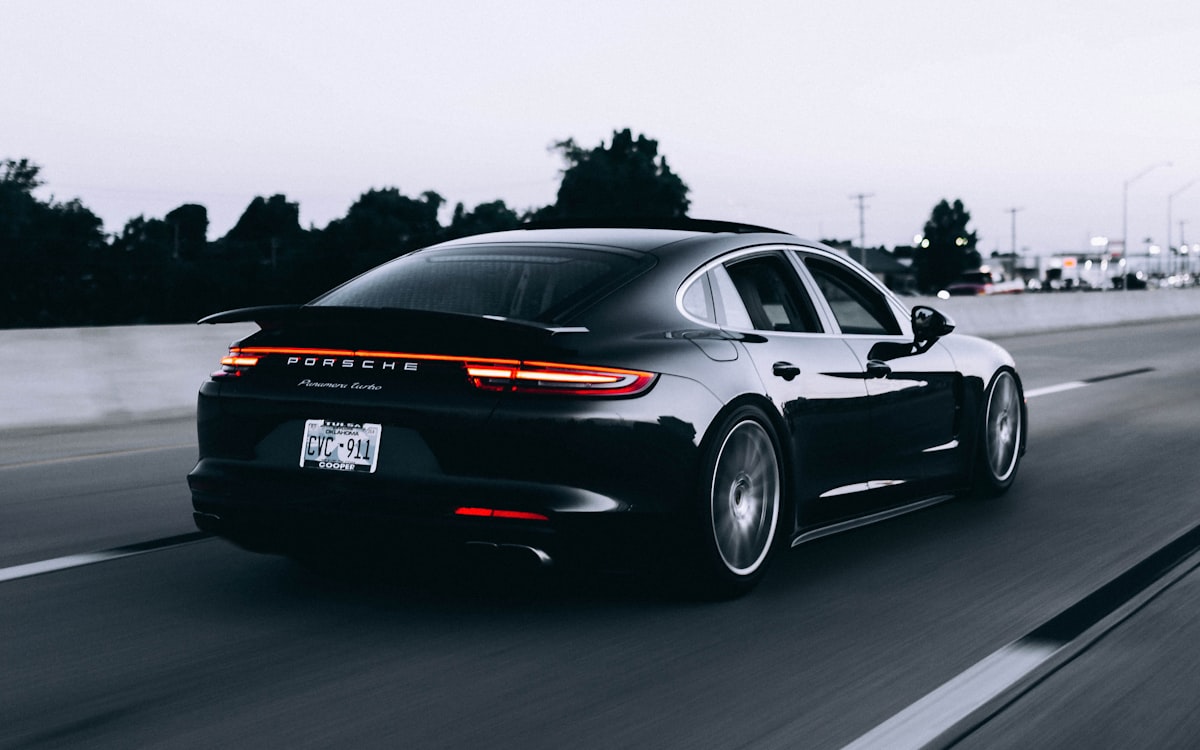
Ricoh GR III Car & Automotive Photography: Settings, Recipes, and Creative Tips
A 28mm fixed lens is not the first thing most people reach for when they think about car photography. Telephoto compression, shallow depth of field, and tight detail crops dominate the genre. But the Ricoh GR III rewards a different approach -- one built on proximity, context, and bold wide-angle perspective. Get close to a car with the GR III and you produce images full of drama, motion, and a sense of place that long lenses simply cannot capture.
This guide covers everything you need to photograph cars confidently with your GR III: the camera settings that handle reflective paint and fast motion, preset recipes tuned for automotive subjects, panning techniques for conveying speed, and composition strategies that turn the 28mm limitation into a creative strength.
Why the Ricoh GR III Works for Car Photography
The GR III brings several qualities to automotive work that are easy to underestimate:
- The 18.3mm f/2.8 lens (28mm equivalent) exaggerates perspective in a way that makes cars look long, low, and aggressive when shot from a low angle near the front quarter panel
- Pocketable size lets you work at car meets, shows, and on the street without drawing the attention -- or the security concern -- that a large DSLR and white telephoto attracts
- Snap Focus is ideal for pre-setting a focus distance and capturing a passing car the instant it hits your frame, with no autofocus lag
- Leaf-shutter-free APS-C sensor with strong dynamic range handles the harsh highlights of chrome and glossy paint alongside deep shadow detail in wheel wells and grilles
- Highlight-weighted metering protects bright reflections on metallic surfaces, which are the most common way automotive shots get blown out
Essential Camera Settings for Automotive Photography
Shooting Mode
Aperture Priority (Av) is the right default for static cars -- parked vehicles, detail shots, and car-meet portraits. You control depth of field while the camera handles exposure, and you adjust with exposure compensation as the paint color demands.
Shutter Priority (Tv) or Manual is essential for motion work. Panning a moving car requires a deliberately slow shutter speed, and rolling shots require a specific range -- neither of which Aperture Priority will reliably give you.
Aperture Selection
- f/2.8 for detail shots -- badges, headlights, stitching, wheel spokes -- where you want the subject sharp and the surroundings softly defocused. The GR III's close-focus capability shines here
- f/5.6 to f/8 for three-quarter "hero" shots of a whole car, keeping the entire body sharp while still separating it from a busy background
- f/8 to f/11 for cars in their environment -- a vehicle on a mountain road, in a city scene, or at a show -- where you want both the car and the setting in focus
ISO Configuration
Navigate to MENU > Shooting Settings > ISO Sensitivity and configure based on your scenario:
- ISO 100-200 for daytime static shots and detail work, giving you the cleanest files and richest color from glossy paint
- Auto ISO (200-3200) with a minimum shutter of 1/500s for handheld motion and rolling shots, where freezing the body matters more than absolute cleanliness
- ISO 800-3200 for car meets at dusk, underground garages, and night automotive scenes -- the GR III stays clean enough that the mood is worth the slight noise
Shutter Speed: The Most Important Setting for Motion
Shutter speed is what separates a static car photo from one that conveys speed.
- 1/1000s and faster freezes a moving car completely -- sharp body, frozen wheels. Clean and safe, but the car can look parked even at speed
- 1/125s to 1/250s is the panning sweet spot for cars moving at moderate speed. Fast enough to keep the body sharp if you track well, slow enough to blur the background and spin the wheels
- 1/30s to 1/60s for dramatic panning of faster cars, or for rolling shots taken from another moving vehicle. High keeper-loss rate, but the hits are spectacular
- 1/15s and slower for light-trail and long-exposure traffic work at night, which requires a tripod or a stable surface
Focus Settings
Snap Focus is the GR III's secret weapon for moving cars. Pre-set the focus distance to where the car will pass -- say 3m or 5m -- and the camera fires instantly with no hunting. Set it via MENU > Focus > Snap Focus Distance, then shoot in Snap mode or full-press through autofocus.
Single-point AF works well for parked cars and detail shots. Place the point deliberately on the part you want critically sharp -- usually the nearest headlight or the badge.
Continuous AF (AF.C) can track a car approaching head-on, but for predictable lateral motion, Snap Focus is faster and more reliable.
Preset Recipes for Car Photography
The right recipe depends on the look you want -- glossy and punchy, moody and cinematic, or clean and editorial. Here are three starting points you can dial in through the GR III's Image Control settings.
Recipe 1: Glossy Showroom Color
Best for clean, vibrant shots of well-detailed cars in good light.
- Image Control: Vivid
- Saturation: +2
- Hue: 0
- Contrast: +1
- Contrast (Highlight): -1
- Contrast (Shadow): +1
- Sharpness: +2
- Clarity: +2
- White Balance: Daylight, or Auto with a slight push toward neutral
- Highlight Correction: ON
- Shadow Correction: Low
This recipe makes paint pop and chrome gleam while keeping skin tones (for the owner standing proudly beside their car) reasonable.
Recipe 2: Cinematic Automotive
Best for moody car-meet scenes, dusk shots, and editorial storytelling.
- Image Control: Custom (based on Standard)
- Saturation: -1
- Hue: 0
- Contrast: +2
- Contrast (Highlight): -2
- Contrast (Shadow): +1
- Sharpness: +1
- Clarity: +1
- White Balance: Auto, biased slightly cool (toward blue)
- Highlight Correction: ON
- Shadow Correction: Medium
The reduced saturation and crushed-but-controlled contrast give images a filmic, teal-leaning mood that suits night meets and overcast drama.
Recipe 3: High-Contrast Monochrome
Best for sculptural detail shots, classic cars, and timeless show portraits.
- Image Control: Hard Monotone, or Monotone with adjustments
- Contrast: +2
- Contrast (Highlight): -1
- Contrast (Shadow): +2
- Sharpness: +2
- Clarity: +3
- Toning: 0 (neutral) or a slight warm tone for vintage subjects
- Highlight Correction: ON
Monochrome strips away distracting paint color and forces the eye to read form, reflection, and line -- ideal for emphasizing the curves of a classic body.
Composition Strategies for a 28mm Lens
Your fixed wide angle changes how you compose. Lean into it rather than fighting it.
Get Low and Close
The single most effective automotive technique with the GR III is to shoot from a low angle at the front three-quarter view. Crouch or place the camera near the ground close to the front wheel. The wide lens stretches the nose of the car toward you, making it look longer, lower, and more aggressive. This is the wide-angle equivalent of the classic hero shot.
Use Leading Lines and Environment
Because you cannot crop in tight optically, use the surroundings deliberately. Roads, parking-lot lines, building edges, and tunnels all create leading lines that draw the eye to the car. A 28mm frame that includes context tells a richer story than a tight crop ever could.
Work the Reflections
Glossy paint is a mirror. Watch what is reflected in the body and glass -- you can capture a skyline, a sunset, or a dramatic sky wrapped across the curves of a hood. Move slightly to position clean reflections and avoid catching yourself or harsh light sources in the panel.
Detail Shots Up Close
The GR III focuses close enough for compelling detail work. Fill the frame with a badge, a headlight cluster, a wheel, or a section of trim. At f/2.8 from a short distance, the background falls away and the detail becomes a graphic, abstract study.
Panning: Capturing Speed
Panning is the technique that proves a car was moving, and the GR III is light enough to swing smoothly.
- Set shutter speed to 1/125s as a starting point (slower for more blur once you are confident)
- Pre-focus with Snap Focus at the distance the car will pass
- Plant your feet and rotate from the hips, not the arms, tracking the car smoothly before, during, and after the shot
- Fire a burst as the car crosses your frame, continuing to follow through after the shutter fires
- Keep the car in the same spot of the frame throughout the motion -- consistency is what keeps the body sharp while the background streaks
Expect a low keeper rate at first. Panning is a numbers game, and even professionals discard most frames. The successful ones, with a tack-sharp car against silky motion blur, are worth every miss.
Shooting at Car Meets and Shows
Car meets are crowded, chaotic, and full of reflective surfaces and mixed lighting. The GR III's discreet size is a genuine advantage here.
- Shoot early or late when the light is soft and the crowds are thinner -- midday sun creates harsh reflections and busy backgrounds full of people
- Use the cars themselves as backgrounds -- a row of vehicles behind your subject reads as context, not clutter, when composed carefully
- Mind your reflection -- with a wide lens up close to chrome and glass, you will frequently appear in the shot. Move, crouch, or shoot from an angle that hides you
- Respect the owners and the space -- ask before touching anything, and never lean on a car to brace a shot
Night and Light-Trail Automotive Work
After dark, cars and cities combine for some of the most rewarding automotive images.
- Stabilize the camera on a tripod, wall, or ledge for any exposure longer than 1/30s
- Use a 2-second self-timer to avoid shake from pressing the shutter
- Expose for 2 to 15 seconds to render passing headlights and taillights as flowing light trails along the road
- Set ISO to 100-200 for the cleanest long exposures, and stop down to f/8 for sharp, star-pointed streetlights
- Enable Highlight Correction to keep bright signage and headlights from clipping
Post-Processing Tips for Car Images
The recipes above deliver strong results straight from camera, but a few targeted adjustments elevate automotive shots further:
- Lift the blacks slightly for a modern, filmic finish, or crush them for high-impact, glossy contrast
- Use graduated or radial adjustments to draw light onto the car and gently darken distracting surroundings
- Correct color casts on the paint -- reflective surfaces pick up ambient color, and a small white-balance tweak restores the true hue
- Remove distractions such as stray cones, trash, or background figures that the wide frame inevitably captures
- Straighten verticals carefully -- the 28mm lens introduces perspective distortion, and a slight correction keeps buildings and poles from leaning into the car
Final Thoughts
The Ricoh GR III will never replace a long lens for tight, compressed automotive portraits -- and it does not need to. Its strength is a different kind of car photography: immersive, contextual, and bold. Get low, get close, work the reflections, and use the environment, and the 28mm frame becomes a feature rather than a constraint.
Keep the camera in your pocket the next time you pass an interesting car, drive a scenic road, or wander a car meet. The GR III's readiness and discreet size mean you will capture moments a bulkier setup would miss entirely -- and the wide-angle perspective will give your automotive work a signature look all its own.
Get a free recipe + 15% off your first order
Our Natural Analog recipe (exact settings for the GR III, GR IIIx and GR IV) and a personal discount code, straight to your inbox.
No spam. Unsubscribe in one click.