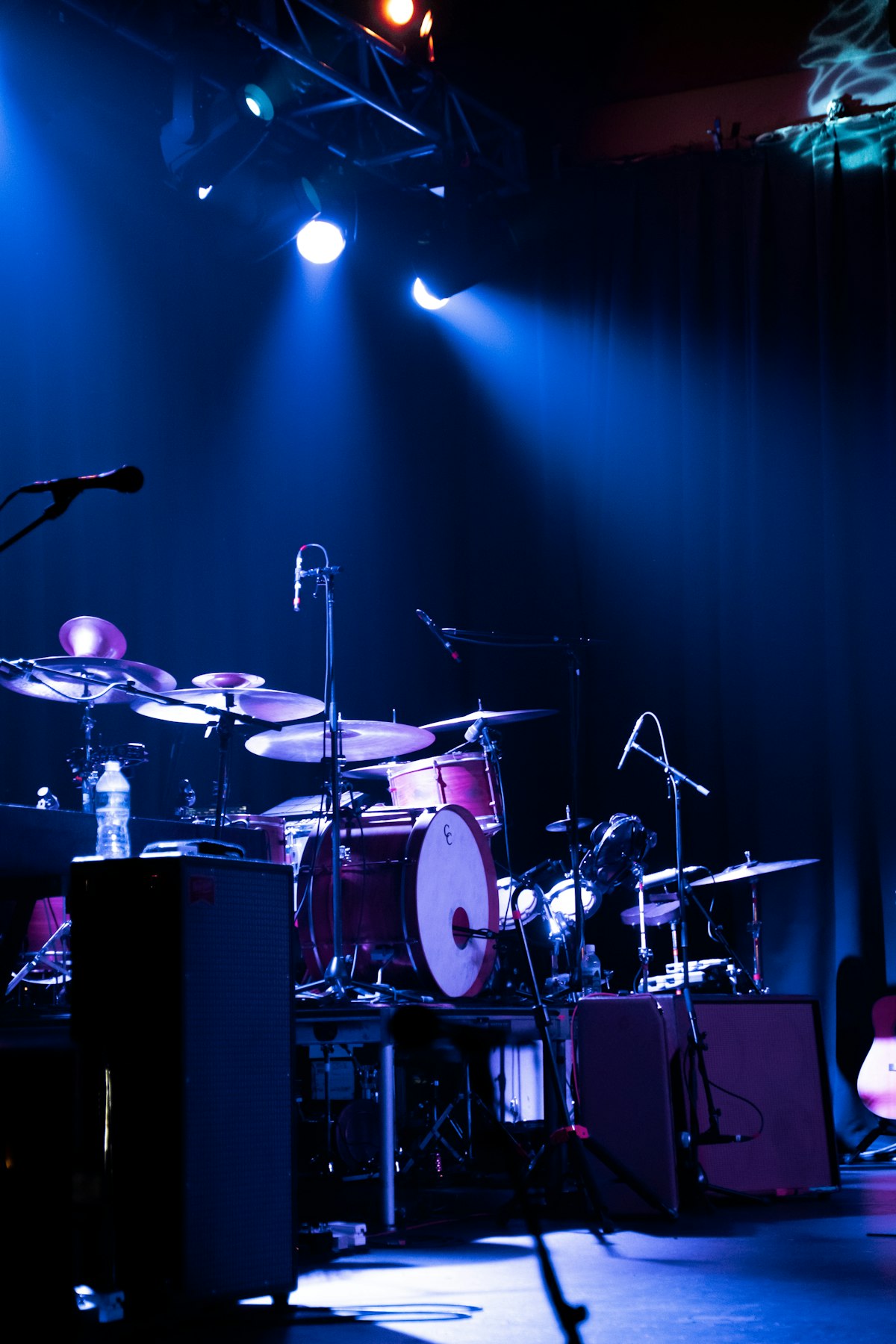
Ricoh GR III Concert & Live Music Photography: Settings, Tips, and Preset Recipes
The Ricoh GR III might not be the first camera that comes to mind for concert photography — but its compact size, fast f/2.8 lens, and excellent high-ISO performance make it a surprisingly powerful tool for live music shoots. Whether you're in a dimly lit jazz club or front row at an arena show, the GR III lets you capture raw, intimate moments without drawing attention.
In this guide, we'll walk you through the best camera settings, custom preset recipes, and field techniques for stunning concert photos with your Ricoh GR III.
Why the Ricoh GR III Works for Concert Photography
Before diving into settings, here's why the GR III is a legitimate concert camera:
- Compact & discreet — No security guard will flag a pocket-sized camera. Many venues that ban interchangeable-lens cameras allow compacts like the GR III
- Fast f/2.8 lens — Wide aperture lets in more light, critical in dark venues
- APS-C sensor — Larger sensor means cleaner high-ISO images compared to smartphones
- Snap Focus — Pre-set your focus distance and shoot instantly, no autofocus hunting in the dark
- Image stabilization — Shake Reduction helps you push slower shutter speeds when needed
Essential Camera Settings for Concert Photography
Concert venues are some of the trickiest lighting environments — constantly changing colors, harsh spotlights, and deep shadows. Here are the core settings to dial in before the show starts.
Shooting Mode: Aperture Priority or Manual
| Setting | Recommended Value | |---|---| | Mode | Av (Aperture Priority) or M (Manual) | | Aperture | f/2.8 (wide open) | | ISO | 1600–6400 (Auto ISO recommended) | | Shutter Speed | 1/125s minimum (1/250s for fast movement) | | White Balance | AWB or Custom (3200K–4500K) | | Metering | Multi or Center-Weighted | | Focus | Snap Focus at 2.5m or Manual Focus |
Aperture Priority (Av) is the easiest approach — lock the aperture at f/2.8 and let the camera handle shutter speed while Auto ISO adjusts sensitivity. Set a minimum shutter speed of 1/125s in the Auto ISO settings to avoid motion blur.
Manual mode gives you full control when lighting is extremely erratic. Set f/2.8, choose your shutter speed based on the performer's movement, and let Auto ISO fill in the exposure.
Auto ISO Settings
Configure Auto ISO to give you the best balance of noise and sharpness:
| Parameter | Value | |---|---| | Auto ISO | ON | | ISO Range | 200–6400 | | Minimum Shutter Speed | 1/125s |
The GR III produces usable images up to ISO 6400. At ISO 3200, noise is very manageable with the right post-processing. Don't be afraid to push it — a noisy sharp photo beats a clean blurry one.
Focus Strategy: Snap Focus is Your Best Friend
Autofocus can struggle in dark, chaotic concert environments. The GR III's Snap Focus feature is a game-changer:
- Set Snap Focus distance to 2.5m for general crowd/stage shots
- For close-up performer shots (if you're near the stage), switch to 1.5m
- At f/2.8 with Snap Focus at 2.5m, everything from roughly 1.8m to 5m will be acceptably sharp
To enable Snap Focus: Menu → Focus → AF Mode → Snap and set your preferred distance.
Alternatively, use Manual Focus with focus peaking enabled for precise control during slower moments between songs.
Preset Recipes for Concert Photography
1. Neon Nights — Vivid Stage Lights
This recipe enhances the saturated reds, blues, and purples of stage lighting for a punchy, energetic look.
| Setting | Value | |---|---| | Image Control | Vivid | | Saturation | +2 | | Contrast | +1 | | Sharpness | +2 | | Key | 0 | | Highlight Correction | ON | | Shadow Correction | Medium | | White Balance | CTE (Color Temperature Enhancement) | | Noise Reduction | Low |
CTE mode amplifies the dominant color temperature, making warm stage lights warmer and cool lights cooler — perfect for dramatic concert images.
2. Moody Film Grain — Analog Concert Vibes
For a gritty, film-like aesthetic that suits indie and underground shows.
| Setting | Value | |---|---| | Image Control | Monotone | | Filter Effect | Red | | Toning | OFF | | Contrast | +3 | | Sharpness | +1 | | Key | -1 | | Highlight Correction | ON | | Shadow Correction | OFF | | High-ISO NR | Low |
The Red filter in Monotone mode brightens skin tones while darkening backgrounds, creating dramatic separation between performers and the stage. Low noise reduction preserves the grain for an authentic film look.
3. Clean Documentary — Editorial Style
A neutral, versatile recipe for when you want maximum flexibility in post-processing.
| Setting | Value | |---|---| | Image Control | Standard | | Saturation | 0 | | Contrast | 0 | | Sharpness | +1 | | Key | 0 | | Highlight Correction | ON | | Shadow Correction | Low | | White Balance | AWB | | Noise Reduction | Medium | | File Format | RAW+ |
Shoot RAW+ with this recipe so you have both a usable JPEG and full editing latitude in the RAW file. Concert lighting can be unpredictable, and RAW gives you the power to recover highlights and correct white balance after the fact.
Shooting Techniques for Live Music
Work the Crowd, Not Just the Stage
Some of the best concert photos aren't of the performers — they're of the audience. The GR III's 28mm equivalent focal length is perfect for capturing crowd energy, raised hands, and emotional reactions. Turn around and shoot into the audience during key moments.
Use Burst Mode for Peak Action
Switch to Continuous Shooting (High) to capture drummer strikes, guitar solos, and singer expressions at peak intensity. The GR III shoots at approximately 4 fps, which is enough to catch the decisive moment.
Embrace Silhouettes
When stage backlighting is strong, don't fight it — use it. Expose for the bright background and let the performers become dramatic silhouettes. This works especially well in black and white with the Moody Film Grain recipe above.
Shoot During Soundcheck
If you have access, soundcheck is the best time to shoot. The lighting is often set but less chaotic, performers are relaxed, and you can experiment with compositions without the crowd.
Get Creative with Slow Shutter Speeds
For artistic motion blur effects:
| Effect | Shutter Speed | Technique | |---|---|---| | Light trails | 1/15s – 1/4s | Hold steady, let lights streak | | Ghosting | 1/8s | Track the performer's movement | | Intentional blur | 1/2s | Pan with the subject |
These slower speeds work best during quieter songs or atmospheric moments. Use the GR III's built-in Shake Reduction to stabilize what you can.
Post-Processing Tips
Dealing with Mixed Lighting
Concert lighting creates complex color casts. In post-processing:
- Use HSL sliders to tame overly saturated stage colors (reds and magentas tend to clip)
- Apply local white balance adjustments to separate warm spotlights from cool ambient light
- Don't overcorrect — the colored lighting is part of the atmosphere
Noise Reduction Strategy
At ISO 3200–6400, apply noise reduction selectively:
- Use luminance noise reduction at 20–30% to smooth grain without losing detail
- Keep color noise reduction higher (40–60%) to eliminate color speckling
- Apply sharpening after noise reduction to restore edge definition
- Consider leaving some grain for artistic texture — it suits the concert aesthetic
Black and White Conversion
Many concert photos look stronger in black and white. When converting:
- Boost contrast significantly — concerts are about drama
- Use a red channel mixer boost to brighten skin tones
- Darken blues and greens to deepen stage backgrounds
- Add a subtle vignette to draw the eye to the performer
Common Mistakes to Avoid
- Using flash — Most venues prohibit it, and it kills the atmosphere. The GR III's low-light capability means you don't need it
- Chimping after every shot — Review sparingly. You'll miss moments staring at the LCD
- Staying in one spot — Move around. The GR III is small enough to weave through crowds
- Over-editing colors — Concert photos can look garish if you push saturation too far in post
- Forgetting spare batteries — High ISO and continuous shooting drain battery fast. Carry at least one spare DB-110 battery
Quick Reference Cheat Sheet
| Scenario | Aperture | ISO | Shutter | Focus | Recipe | |---|---|---|---|---|---| | Well-lit stage | f/2.8 | 800–1600 | 1/250s | Snap 2.5m | Neon Nights | | Dim jazz club | f/2.8 | 3200–6400 | 1/125s | Snap 1.5m | Clean Documentary | | Crowd energy shots | f/2.8 | 1600–3200 | 1/125s | Snap 2.5m | Neon Nights | | B&W dramatic | f/2.8 | 1600–6400 | 1/125s | Snap 2.5m | Moody Film Grain | | Light trail creative | f/5.6–8 | 200–400 | 1/4s–1s | MF ∞ | Neon Nights |
Final Thoughts
The Ricoh GR III proves that you don't need a massive telephoto lens to capture the energy of live music. Its compact form factor is actually an advantage — you blend in with the crowd, move freely, and capture candid moments that bigger cameras would miss.
Start with the Neon Nights recipe for your first concert shoot, master Snap Focus, and don't be afraid of high ISO. The best concert photo is the one you actually take.
Looking for more preset recipes to load onto your GR III? Check out our complete preset collection with one-click downloads for every shooting scenario.