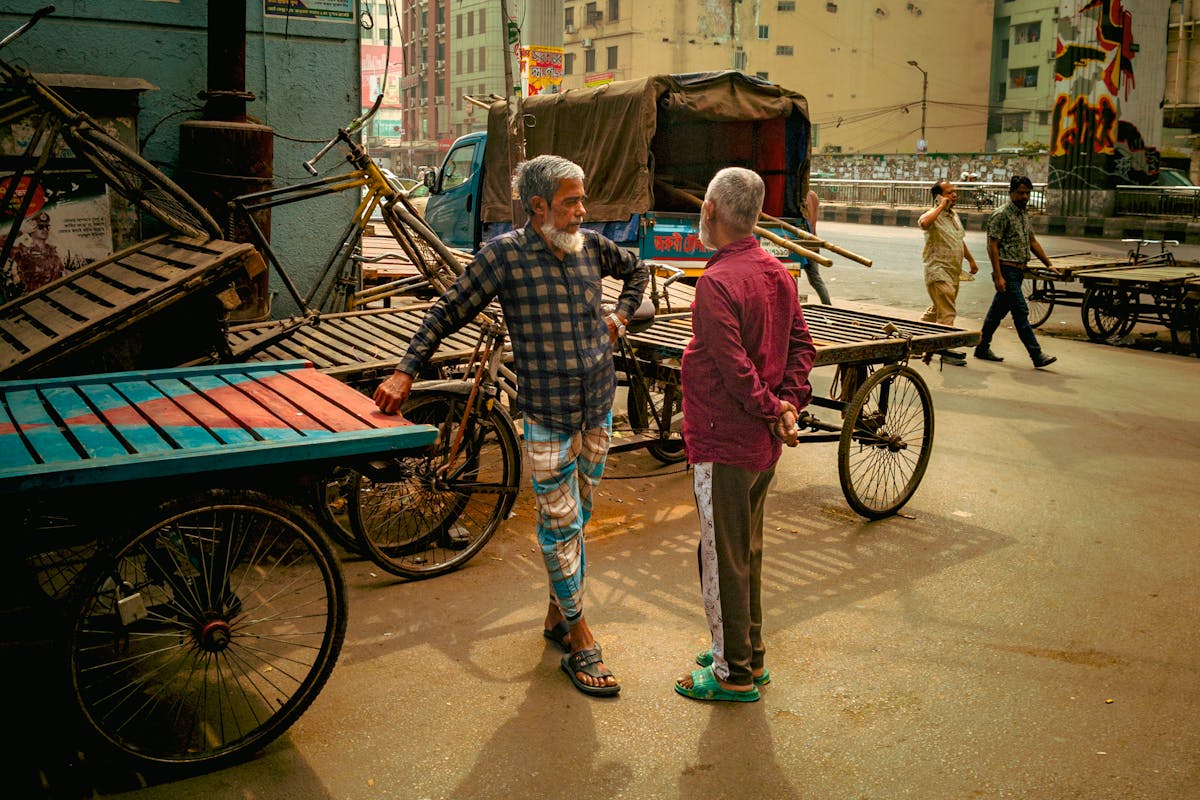
Ricoh GR III Documentary Photography: Settings, Tips, and Best Recipes for Authentic Storytelling
The Ricoh GR III was practically built for documentary photography. Its compact size lets you disappear into any scene. Its fast snap focus captures fleeting moments before they vanish. Its APS-C sensor renders the kind of detail and tonal depth that gives documentary images weight and credibility.
From photojournalists covering daily life in bustling markets to personal projects documenting your neighborhood over the seasons, the GR III has become the go-to camera for photographers who need to observe without intruding. This guide covers everything — settings, preset recipes, shooting techniques, and the mindset that turns snapshots into stories.
Why the Ricoh GR III Is the Ultimate Documentary Camera
Documentary photography demands a camera that stays out of the way. The GR III does exactly that:
- Pocket-sized body means no camera bag, no neck strap drawing attention — you carry it like a phone and shoot like a professional
- 28mm f/2.8 lens provides the classic documentary focal length, wide enough to include context and environment while still allowing intimate framing
- Snap Focus lets you pre-set a focus distance and shoot instantly without waiting for autofocus — critical for capturing split-second moments
- Silent shooting mode eliminates shutter sound entirely, letting you photograph in sensitive environments like ceremonies, hospitals, or quiet communities
- 0.8-second startup means the camera is ready before the moment passes
- Excellent high-ISO performance handles the unpredictable lighting conditions that documentary work demands — dim interiors, harsh midday sun, mixed artificial light
The great documentary photographers — from Henri Cartier-Bresson to Daido Moriyama — all gravitated toward compact, unobtrusive cameras. The GR III continues that tradition with modern image quality.
Essential Camera Settings for Documentary Photography
Shooting Mode: Aperture Priority (Av) or Program (P)
Documentary photography moves fast. You rarely have time to dial in manual settings while life unfolds in front of you.
Aperture Priority (Av) gives you creative control over depth of field while the camera handles exposure. Set it and forget it — adjust aperture only when your storytelling needs change.
Program mode (P) works well when conditions change rapidly. Moving from a dark interior to bright street? Program mode adapts instantly. Shift the program with the rear dial when you need more depth of field or faster shutter speeds.
For extended shooting sessions where you're walking through varied environments, Program mode with Auto ISO is the most reliable combination.
Focus Strategy: Snap Focus Is Everything
Snap Focus is what separates the GR III from every other compact camera for documentary work. Instead of waiting for autofocus to hunt and lock, you pre-set a distance and the camera focuses there instantly when you press the shutter.
Navigate to MENU > Focus > Focus Snap Distance and set it based on your shooting style:
- 1.5m — Conversational distance. Perfect for market vendors, street portraits, and any scene where you're interacting with your subjects
- 2.5m — The classic street/documentary distance. Captures people in their environment with context. This is the most versatile setting
- 5m — For wider scene-setting shots. Paired with f/8, almost everything from 2m to infinity stays sharp (zone focusing)
Pro tip: Set your Fn button to toggle between Snap Focus distances. This lets you switch between close interaction shots and wider environmental shots without entering any menus.
Aperture for Documentary Depth
Your aperture choice tells a different story:
- f/2.8 — Isolates a single person or detail from a chaotic background. Use when you want the viewer to focus on one element: a pair of hands working, a face in a crowd, a single object that tells the whole story
- f/5.6 — The documentary workhorse. Sharp subject with enough depth to include readable context. A person at their workspace with tools visible behind them
- f/8 — Environmental storytelling. Everything sharp, every detail available to the viewer. Street scenes, market overviews, community gatherings where the whole frame matters
- f/11 — Deep depth for landscapes and architecture that contextualize your documentary subject. Use sparingly — diffraction softens the image slightly at this aperture on the GR III
For most documentary work, f/5.6 at 2.5m snap focus gives you the ideal balance: sharp subjects, readable backgrounds, instant capture.
ISO and Exposure Settings
Navigate to MENU > Shooting Settings > ISO Sensitivity:
- ISO Auto with upper limit set to ISO 6400 — documentary work often means unpredictable lighting, and a grainy sharp shot is always better than a blurry clean one
- Minimum shutter speed: 1/125s — fast enough to freeze walking people and hand gestures
- In very dark environments, push ISO to 12800 if needed. The grain actually adds to the documentary aesthetic
For exposure compensation:
- -0.3 to -0.7 EV in harsh daylight protects highlights and adds mood. Slightly underexposed documentary images feel more authentic and dramatic
- +0.3 EV in dim interiors lifts shadows on faces without blowing background lights
Image Stabilization
Enable Sensor Shift Shake Reduction in the menu. The GR III's in-body stabilization gives you roughly 4 stops of compensation, which means:
- Handheld shots down to 1/8s in stable conditions
- Walking shots sharp at 1/30s
- This is critical for documentary work in dim environments where flash would destroy the mood and authenticity
Documentary Photography Preset Recipes
1. Classic Photojournalist — Neutral Truth
A clean, honest rendering with just enough contrast to hold attention. This recipe doesn't stylize — it documents.
- Image Control: Standard
- Saturation: 0
- Hue: 0
- High/Low Key: 0
- Contrast: +1
- Contrast (Highlight): -1
- Contrast (Shadow): +1
- Sharpness: +2
- Shading: 0
- Clarity: +1
- White Balance: AWB
- Grain Effect: Off
This is your baseline. Colors are accurate, shadows are open enough to show detail in dark areas, and the slight contrast boost gives images editorial punch without distortion. Use this when the story matters more than the style.
2. Warm Documentary — Daily Life
A subtly warm look that evokes the feeling of being present in a moment. Perfect for community stories, family documentation, and cultural events.
- Image Control: Positive Film
- Saturation: +1
- Hue: 0
- High/Low Key: +1
- Contrast: 0
- Contrast (Highlight): -1
- Contrast (Shadow): +2
- Sharpness: +1
- Shading: +1
- Clarity: 0
- White Balance: CTE
- Grain Effect: Weak
The lifted shadows and warm tones make everyday scenes feel intimate and inviting. CTE (Color Temperature Enhancement) leans into the ambient light — golden in the morning, warm under tungsten, cool in shade — which makes images feel true to the moment.
3. Gritty Black & White — Raw Truth
Documentary photography and black & white are inseparable. This recipe channels the tradition of W. Eugene Smith and Sebastiao Salgado — deep blacks, visible grain, unflinching contrast.
- Image Control: Hard Monotone
- Filter Effect: Red
- Toning: Off
- High/Low Key: -1
- Contrast: +3
- Contrast (Highlight): +2
- Contrast (Shadow): -2
- Sharpness: +3
- Shading: +2
- Clarity: +3
- White Balance: AWB
- Grain Effect: Strong
The red filter darkens skies and deepens skin tones, adding drama. The extreme contrast creates deep blacks and bright highlights with minimal midtones. This is not a subtle recipe — it's for stories that demand visual intensity. Workers in harsh conditions. Protest marches. Urban decay. Life at the margins.
4. Faded Film Journal — Personal Documentary
A softer, desaturated look inspired by 1970s color photojournalism. Think National Geographic before digital — warm but muted, contrasty but forgiving.
- Image Control: Bleach Bypass
- Saturation: -2
- Hue: 0
- High/Low Key: +1
- Contrast: +1
- Contrast (Highlight): -2
- Contrast (Shadow): +2
- Sharpness: +1
- Shading: 0
- Clarity: +1
- White Balance: Shade
- Grain Effect: Medium
Bleach Bypass with reduced saturation creates that desaturated-but-not-monochrome look where colors exist but don't dominate. The warmth from Shade white balance adds nostalgia. This recipe works beautifully for long-term personal projects — documenting a neighborhood, a family, a community over months or years.
5. High-Contrast Color — Modern Editorial
A punchy, saturated look for documentary work destined for editorial publication or social media. Bold colors, strong contrast, immediate impact.
- Image Control: Vivid
- Saturation: +2
- Hue: 0
- High/Low Key: 0
- Contrast: +2
- Contrast (Highlight): 0
- Contrast (Shadow): -1
- Sharpness: +2
- Shading: 0
- Clarity: +2
- White Balance: AWB
- Grain Effect: Off
This recipe makes colors pop without crossing into unrealistic territory. Markets burst with color. Street signs and murals command attention. Use this when your documentary subject is inherently colorful — festivals, street food vendors, decorated neighborhoods — and you want to honor that vibrancy.
Documentary Shooting Techniques with the GR III
The Art of Being Invisible
The biggest advantage of the GR III for documentary work is that it doesn't look like a serious camera. Use this to your advantage:
- Shoot from the hip. With snap focus set to 2.5m and aperture at f/5.6-f/8, you can fire without raising the camera to your eye. The results are surprisingly accurate after practice, and subjects never notice
- Keep the camera in your hand, not in a bag. The GR III is small enough to hold casually at your side. Bringing it up to eye level takes less than a second
- Use the rear LCD instead of looking through the camera. Holding the GR III at chest or waist height and glancing at the screen feels like checking your phone to passersby
- Turn off all sounds. Menu > Beep Volume > Off. Disable AF confirmation beep, shutter sound, and startup sound
Zone Focusing for Guaranteed Sharpness
Zone focusing is the documentary photographer's secret weapon, and the GR III makes it effortless:
- Set focus mode to Snap Focus
- Set snap distance to 2.5m
- Set aperture to f/8
- At these settings, everything from roughly 1.5m to 7m is acceptably sharp
This means you never miss a shot waiting for autofocus. See the moment, press the shutter. The image is sharp. This technique has been used by photojournalists for decades — the GR III just makes it digital.
Shooting in Sequences
Single frames tell facts. Sequences tell stories. The best documentary photographers shoot in bursts of related images:
- Wide establishing shot — where are we? What does this place look like?
- Medium shot — who is here? What are they doing?
- Close-up detail — hands working, tools of a trade, telling objects
- Reaction/emotion — faces that reveal the human story
- Closing image — the scene after the moment has passed
With the GR III's fast shooting speed and large buffer, you can capture all five in under 30 seconds. Switch between snap focus distances (Fn button) to move from wide to close without slowing down.
Working with Available Light
Documentary photography almost never uses flash. The light that exists in the scene is part of the story.
- Window light is your best friend for indoor documentary work. Position yourself so subjects are lit by windows — the soft, directional light creates depth and dimension
- Overhead fluorescent in institutions (hospitals, schools, government offices) casts a green tint. Set white balance to Fluorescent or use Manual WB to correct
- Mixed light (daylight from windows + tungsten from lamps) creates warm/cool contrast. Leave white balance on AWB and embrace the color contrast — it adds visual complexity
- Backlight from windows or doorways creates powerful silhouettes. Expose for the highlights and let your subject become a dark shape — this technique adds mystery and universality
Ethical Considerations
Documentary photography carries responsibility. Some guidelines for the GR III shooter:
- Respect personal space. The GR III's small size is not a license to invade privacy. If someone notices you and looks uncomfortable, lower the camera
- Ask when appropriate. In many cultures, asking permission before photographing is expected. A smile and a gesture toward your camera often transcends language barriers
- Be present first, photographer second. The best documentary images come from genuinely engaging with a place and its people, not just passing through with a camera
- Consider your subjects' dignity. Poverty, illness, and hardship can be documented with compassion. Avoid images that exploit or sensationalize
Composition Tips for Documentary Storytelling
Include Context
The 28mm lens on the GR III naturally includes environment around your subject. Use this — documentary photography needs context:
- Show the workspace around the worker
- Include the street around the pedestrian
- Let the room tell you about the person in it
Resist the urge to zoom with your feet for every shot. Sometimes the most powerful image is the one where your subject is small within a larger, telling environment.
Use Layers
Strong documentary images have foreground, middle ground, and background elements that all contribute to the story:
- A vendor's hands (foreground) arranging produce (middle ground) while customers browse (background)
- A child's toy (foreground) on a step (middle ground) with an empty playground behind (background)
At f/5.6-f/8, the GR III keeps all three layers readable, creating dense, information-rich images.
Embrace Imperfection
Documentary photography is not about technical perfection. A slightly tilted horizon, a bit of motion blur on a moving hand, a subject caught mid-expression — these are features, not flaws. They prove the image is real, unstaged, alive.
The GR III's auto settings and snap focus occasionally produce technically imperfect images. In documentary work, that imperfection is authenticity.
Repetition and Pattern
When documenting a subject over time, look for visual patterns that create cohesion:
- The same corner at different times of day
- Different people performing the same action
- A recurring color, shape, or gesture across multiple images
These patterns transform individual photos into a visual essay. The GR III's consistent color science and rendering make images from different days and conditions feel like they belong together.
Managing a Long-Term Documentary Project
Organize by Date and Location
Create a simple folder structure: Year > Month > Location. The GR III's date stamping in EXIF data makes this easy to automate with tools like Lightroom or even basic file managers.
Shoot RAW + JPEG
For serious documentary projects, enable RAW+ in the GR III menu. Your preset recipes produce beautiful JPEGs for quick review and sharing, while the DNG raw files give you maximum flexibility in post-processing for final selections.
Navigate to MENU > Shooting Settings > Image Capture Settings > RAW+ to enable this. The GR III's SD card handles the extra file size without noticeably slowing down.
Review and Edit Ruthlessly
Documentary projects produce thousands of images. The editing process — selecting which images tell the story — is where the real storytelling happens:
- First pass: flag anything that catches your eye. Don't overthink
- Second pass: from your flags, select images that work together as a narrative
- Third pass: sequence them. Does image A lead naturally to image B? Does the series have rhythm — tension, release, quiet, intensity?
Back Up Religiously
Documentary projects are irreplaceable. The moments you've captured cannot be restaged. Back up to at least two locations after every shooting session.
Recommended Accessories for Documentary Photography
- Extra batteries (DB-110) — carry at least two spares. Documentary shooting sessions can run 4-8 hours, and the GR III's battery lasts roughly 200 shots
- A simple wrist strap — keeps the camera secure without the bulk of a neck strap. Maintains the GR III's low-profile advantage
- High-speed SD card (UHS-I V30 or better) — fast write speeds matter when shooting RAW+ in sequences
- GW-4 wide conversion lens — converts 28mm to 21mm for situations where you need even more environmental context. Adds bulk but dramatically expands your storytelling range
- A small notebook — for recording names, locations, and context that EXIF data can't capture. The best documentary projects include captions
Final Thoughts
The Ricoh GR III embodies the documentary photography philosophy: be present, be quick, be honest. Its limitations — fixed lens, no viewfinder, modest battery life — are actually strengths in disguise. A fixed 28mm lens forces you to move and engage. No viewfinder keeps your other eye on the world. Limited battery life reminds you to be selective and intentional.
Whether you're documenting your city's transformation, telling the story of a local craftsperson, or building a visual diary of your daily life, the GR III is the most capable documentary camera you can slip into a jacket pocket.
Set your snap focus. Choose your preset. Step outside. The stories are already happening — you just need to be there to see them.