Ricoh GR III Fog & Mist Photography: Settings, Recipes, and Creative Tips
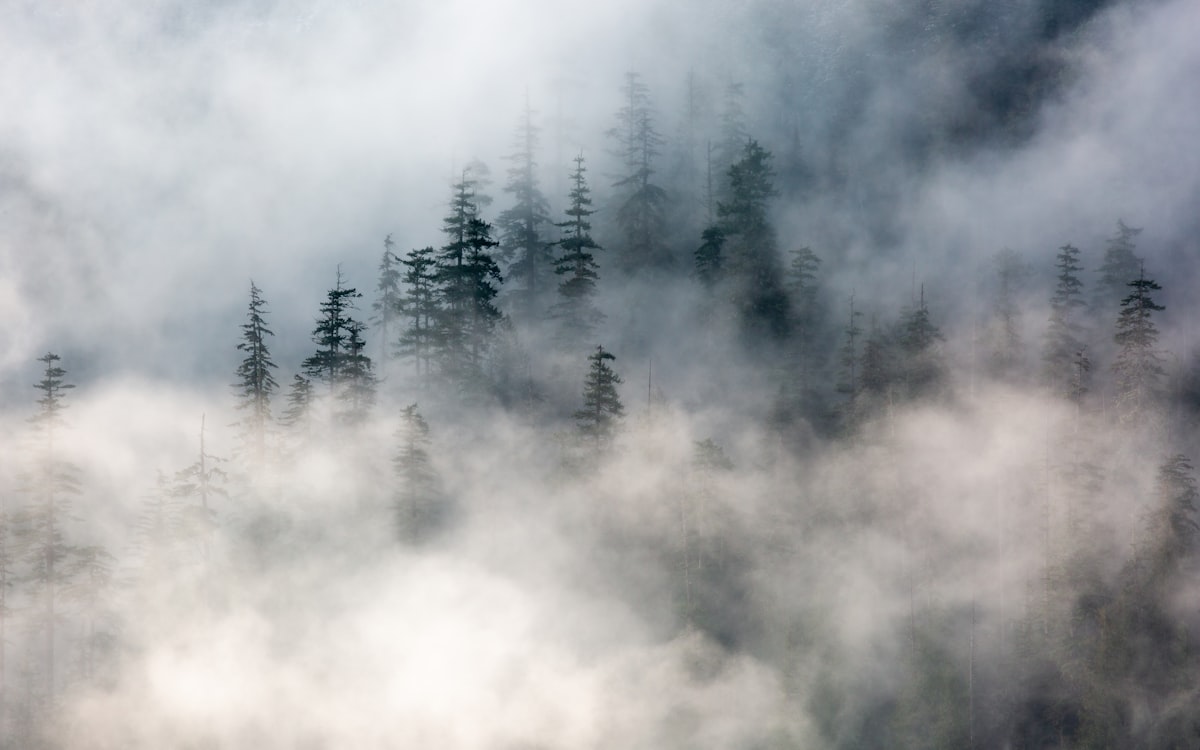
Fog and mist strip a scene down to its essentials. Details vanish, colors mute, and the world compresses into layers of soft gray tones separated by fading silhouettes. It is one of the most rewarding conditions to photograph in -- and the Ricoh GR III, with its compact form and exceptional lens, is perfectly suited for it.
This guide covers everything you need to shoot confidently in fog with your GR III: essential camera settings for low-contrast conditions, preset recipes that enhance the ethereal mood, composition strategies that use reduced visibility to your advantage, and practical tips for protecting your gear from moisture.
Why the Ricoh GR III Excels in Fog and Mist
The GR III has several qualities that make it an outstanding fog photography camera:
- Compact and always-ready means you can grab it the moment fog rolls in, which often happens in narrow time windows at dawn, dusk, or near bodies of water
- Sharp 18.3mm f/2.8 lens resolves fine detail in the foreground even when the background dissolves into soft haze, creating natural depth separation without any post-processing
- APS-C sensor with excellent dynamic range captures the subtle tonal gradations in fog -- the gentle shift from dark foreground to bright mist -- without banding or noise
- Snap Focus is invaluable when autofocus struggles with the low-contrast, featureless expanses that fog creates
- 28mm equivalent field of view pulls in enough of the scene to convey the scale and atmosphere of foggy environments while keeping foreground subjects prominent
Essential Camera Settings for Fog Photography
Shooting Mode: Aperture Priority or Manual
Aperture Priority (Av) works well for most fog photography, but you need to watch the meter closely. Fog is bright and uniform, and your camera will try to underexpose it to medium gray. Be ready to dial in exposure compensation.
Manual mode gives you full control when the fog is thick and your meter is unreliable. Take a test shot, check the histogram, and adjust. In dense fog, your histogram should sit in the right half -- fog is bright, and your exposure should reflect that.
Aperture Selection
Your aperture choice dramatically affects how fog renders in your images:
- f/2.8 creates maximum separation between sharp foreground elements and the soft foggy background. Ideal for isolating a single subject -- a tree, a figure, a lamppost -- against a wall of mist
- f/5.6 balances sharpness with atmospheric depth. Good for street scenes and paths that recede into fog, where you want some foreground detail but also want the fog to gradually swallow the background
- f/8 to f/11 maximizes sharpness across the frame for wide landscape compositions. Use this when the fog itself is the subject and you want every visible layer crisp
ISO Configuration
Fog usually means diffused, even lighting without harsh shadows. Navigate to MENU > Shooting Settings > ISO Sensitivity and configure:
- Auto ISO with a range of ISO 200-1600 and minimum shutter speed of 1/125s for general handheld shooting. Fog diffuses light significantly, so you will often be working at higher ISOs than you might expect
- ISO 200-400 fixed for tripod work when you want the cleanest possible files to preserve the subtle tonal gradations in the mist
- ISO 800-1600 handheld in dense fog or pre-dawn conditions. The GR III handles these ISOs cleanly, and the soft nature of fog masks any minor noise
Focus Settings for Low-Contrast Conditions
Fog is autofocus kryptonite. Large areas of uniform tone give the AF system nothing to lock onto, causing it to hunt back and forth.
Snap Focus at 2.5m is the most reliable approach for general fog photography. At f/5.6, your depth of field extends from roughly 1.5 to 8 meters, covering most subjects you will encounter while walking through fog.
Snap Focus at 1.5m for closer subjects -- tree bark textures, spider webs with water droplets, or a figure emerging from the mist just a few steps away.
Manual Focus with focus peaking is excellent for tripod-based landscape work in fog. Enable focus peaking in red or white (MENU > Focus > Focus Peaking) so highlighted edges appear clearly even in low-contrast scenes.
Autofocus can still work if you point the AF area at a high-contrast edge -- a dark tree trunk against bright fog, for example. Use single-point AF and place it deliberately on a contrasty boundary.
Metering and Exposure Compensation
This is the most critical setting for fog photography. The camera's meter sees the bright, white fog and underexposes the image to bring it toward middle gray. The result: muddy, gray fog that looks dull instead of luminous.
Use Center-Weighted or Spot metering for the most predictable results.
Dial in +1.0 to +1.7 exposure compensation as your starting point. This is more than most other conditions require, but fog genuinely needs it. Check your histogram -- the data should be pushed right, with the peak sitting in the brighter quarter of the graph. The fog should look white and luminous on your LCD, not gray.
Bracket your exposures in tricky scenes by taking one shot at your chosen compensation, one at +0.7 below, and one at +0.7 above. Fog conditions change quickly, and having options during editing is worth the extra few seconds.
White Balance for Atmosphere
White balance is a creative tool in fog photography. Different settings produce dramatically different moods:
- Daylight (5500K) renders fog with a slight cool tone that feels natural and clean. A reliable default choice
- Cloudy (6500K) adds warmth that works beautifully during golden hour fog, creating a soft amber glow that feels nostalgic and painterly
- Tungsten (2850K) pushes fog into deep blue tones for a cold, cinematic look. Especially effective for urban fog scenes with artificial lighting creating warm-cool contrast
- Manual Kelvin at 4000-4500K creates a subtle cool cast without going as extreme as Tungsten. This is the sweet spot for moody, atmospheric fog images that feel slightly cool without looking artificially color-graded
Preset Recipes for Fog and Mist Photography
Recipe 1: Ethereal Morning Mist
A soft, high-key look that emphasizes the dreamlike quality of morning fog. Desaturated tones and gentle contrast keep everything feeling light and airy.
- Image Control: Positive Film
- Saturation: -2
- Hue: 0
- High/Low Key: +1
- Contrast: -2
- Contrast (Highlight): -1
- Contrast (Shadow): +1
- Sharpness: -1
- Shading: 0
- Clarity: -2
- White Balance: Daylight
- WB Compensation: B1, 0
This recipe produces images that feel like they are wrapped in soft gauze. The reduced contrast and clarity let the fog dominate, while the slight shadow boost preserves just enough detail in darker foreground elements.
Recipe 2: Moody Urban Fog
A darker, grittier interpretation that works in cities where artificial lights cut through the mist. Think streetlights with halos, neon signs diffused into color washes, wet pavement reflecting scattered light.
- Image Control: Bleach Bypass
- Saturation: -1
- Hue: 0
- High/Low Key: 0
- Contrast: +1
- Contrast (Highlight): -2
- Contrast (Shadow): -1
- Sharpness: +1
- Shading: +2
- Clarity: +1
- White Balance: Tungsten
- WB Compensation: B2, A1
The Bleach Bypass base gives a gritty, desaturated look while the Tungsten white balance creates those cold blue tones that make urban fog feel cinematic. The increased contrast and clarity add structure to the limited visible elements.
Recipe 3: Classic Black and White Fog
Fog is inherently about tone, not color, making it a natural fit for black and white. This recipe produces images with a full tonal range from deep blacks in the foreground to pure white in the distant mist.
- Image Control: Monochrome
- Filter Effect: Green
- Toning: 0
- High/Low Key: +1
- Contrast: +1
- Contrast (Highlight): -1
- Contrast (Shadow): +2
- Sharpness: +2
- Shading: +1
- Clarity: +2
- White Balance: Auto
The green filter brightens foliage and natural tones while darkening skies, which translates into better separation between trees and the foggy background. The strong shadow contrast and high clarity ensure that foreground elements remain punchy and defined against the dissolving background.
Recipe 4: Warm Nostalgic Haze
Inspired by vintage film stocks, this recipe treats fog as a warm, golden veil. Works best during sunrise or late afternoon when natural light already carries warmth.
- Image Control: Retro
- Saturation: -1
- Hue: +1
- High/Low Key: +1
- Contrast: -1
- Contrast (Highlight): -2
- Contrast (Shadow): 0
- Sharpness: 0
- Shading: 0
- Clarity: -1
- White Balance: Cloudy
- WB Compensation: A2, M1
The Retro film simulation combined with Cloudy white balance produces a warm, amber-tinted fog that evokes old photographs. Reduced contrast and clarity enhance the soft, vintage feel.
Composition Techniques for Fog Photography
Use Depth Layers
Fog naturally creates layers of depth as objects fade with distance. Compose your shots with a clear foreground, midground, and background to take advantage of this:
- Place a strong, dark subject in the foreground for an anchor
- Let the midground fade partially into the mist
- Allow the background to dissolve into pure white
This layered approach gives fog images a three-dimensional quality that flat compositions miss entirely.
Isolate Subjects Through Simplification
Fog removes distracting backgrounds. Use this to your advantage by finding subjects that would normally compete with busy surroundings:
- A lone tree that would be lost in a crowded forest becomes a powerful subject when fog erases everything behind it
- A single person walking becomes the entire story when the world around them disappears
- A park bench, a lamppost, or a mailbox becomes a minimalist composition without any effort
Find Leading Lines That Disappear
Roads, fences, rows of trees, and rivers that vanish into fog create some of the most compelling compositions in photography. The viewer's eye follows the line into the unknown, creating a sense of mystery and depth that few other conditions can match.
Position yourself so the leading line starts near the bottom of the frame and angles into the fog. The wider 28mm lens of the GR III enhances this effect by exaggerating the perspective of receding lines.
Shoot Backlit Fog
When the sun is low and behind the fog, it creates a luminous, glowing quality that is extraordinary. Tree trunks become dark silhouettes, light rays appear where gaps in foliage filter the light, and the entire scene takes on an otherworldly atmosphere.
For the best results, shoot toward the light source at f/8 to create defined light rays. Expose for the fog rather than the silhouettes -- let the foreground go dark to preserve the luminous quality of the backlit mist.
Include Scale References
Fog compresses distance and makes it difficult to judge scale. Including recognizable objects -- a person, a car, a building -- gives the viewer a reference point and emphasizes just how vast and enveloping the fog is.
Timing and Location Tips
When to Shoot
- Pre-dawn and dawn offer the most reliable fog conditions, especially near water. Radiation fog forms overnight as the ground cools and typically lingers for 1-3 hours after sunrise
- After rain when temperatures drop, especially in valleys and low-lying areas
- Near water -- rivers, lakes, and coastlines -- where evaporation creates localized fog and mist even when surrounding areas are clear
- Autumn and spring mornings produce the most frequent and photogenic fog events in temperate climates
Best Locations
- Parks and forests where trees create natural silhouettes and layered depth
- Bridges and waterfronts where water-generated mist combines with urban structures
- Open fields where isolated subjects -- a barn, a fence line, a single tree -- stand dramatically against a featureless foggy background
- Urban streets early in the morning when streetlights create halos and the city is empty and quiet
Protecting Your Gear in Fog
Fog is essentially airborne moisture, and it will settle on everything -- including your lens and camera.
Keep the Lens Clear
Wipe the front element frequently with a dry microfiber cloth. Even a thin layer of moisture will soften your images and reduce contrast. Check before every shot until it becomes a habit.
Carry a lens pen with a brush end for removing water droplets and a dry cleaning tip for smears. It is more effective than a cloth for quick, precise cleaning in the field.
Use the lens cap between shots to prevent moisture accumulation when you are walking between compositions.
Protect the Camera Body
Store the GR III in an inside jacket pocket between shooting sessions. Your body heat keeps the camera warm and discourages condensation from forming on the body and lens.
Avoid temperature extremes -- bringing a cold camera into a warm car or building will cause heavy condensation. Place the camera in a sealed ziplock bag before transitioning between environments, and let it acclimate gradually.
Dry everything thoroughly after your session. Wipe the camera body, leave the battery door open for an hour, and store it in a dry environment with good airflow. Persistent moisture can lead to fungus growth on lens elements.
Post-Processing Tips for Fog Images
While the preset recipes above deliver excellent results straight from camera, a few adjustments in post can enhance your fog images further:
- Increase exposure slightly if the fog still looks gray rather than luminous white
- Add a touch of dehaze (negative clarity) to increase the ethereal quality, or positive dehaze to reveal hidden detail in the mist
- Adjust the tone curve by lifting the shadows and lowering the highlights for a flat, film-like look that suits fog's natural low-contrast character
- Convert to black and white if the color version feels flat -- fog images often have limited color variation, and monochrome eliminates that weakness entirely
- Crop to panoramic ratios (16:9 or 2.35:1) to emphasize the horizontal layering effect that fog naturally creates
Final Thoughts
Fog is one of the most transformative weather conditions for photography. It simplifies, softens, and adds mystery to even the most ordinary scenes. The Ricoh GR III -- small enough to always have with you, fast enough to capture fleeting moments, and sharp enough to resolve fine detail in the foreground -- is an exceptional tool for this kind of work.
Set an early alarm, check the weather forecast for conditions likely to produce fog, and keep your GR III charged and ready. The best fog photography happens in short windows, and being prepared is the difference between capturing something extraordinary and sleeping through it.