Kodak Gold 200 Look on the Ricoh GR III: Complete Film Recipe Guide
Few film stocks are as instantly recognizable as Kodak Gold 200. It's the warm, slightly punchy consumer film that lived in millions of disposable cameras and family point-and-shoots — the look of summer vacations, golden afternoons, and everyday memories. The good news is that you can recreate that exact aesthetic in-camera with your Ricoh GR III, no scanning or Lightroom required.
In this guide, we'll break down a complete Kodak Gold 200 film recipe for the Ricoh GR III, explain why each setting works, and share a few shooting tips to make the look sing.
What Makes the Kodak Gold 200 Look
Before dialing in settings, it helps to understand what you're actually chasing. Kodak Gold 200 is defined by a handful of characteristics:
- Warm color temperature — a golden, sun-kissed cast, especially in highlights
- Boosted saturation with rich, slightly oranged reds and yellows
- Gentle contrast that keeps shadows open and skin tones soft
- A nostalgic, "consumer film" warmth rather than clinical accuracy
The Ricoh GR III's Image Control system is perfectly suited to this. Its Negative Film base profile already leans toward that color-negative character, and from there it's a matter of pushing warmth and saturation without going overboard.
The Ricoh GR III Kodak Gold 200 Recipe
Head into MENU > Image Control on your Ricoh GR III and dial in the following settings:
| Setting | Value |
|---|---|
| Base | Negative Film |
| Saturation | +4 |
| Hue | 0 |
| Key (Brightness) | -1 |
| Contrast | -2 |
| Contrast (Highlight) | 0 |
| Contrast (Shadow) | -1 |
| Sharpness | +2 |
| Clarity | +2 |
| Shading | 0 |
| Toning | 0 |
| White Balance | Color Temp (K) |
| WB Value | 6900K |
| WB Compensation | A5 / M4 |
The two settings doing the heavy lifting here are white balance and saturation. Setting the Kelvin value to 6900K pushes the entire frame warmer — this is the single biggest contributor to the Gold look. The A5/M4 compensation then nudges it slightly toward amber and magenta, which is exactly where consumer Kodak stocks sit.
The +4 saturation on the GR III gives you those vivid, holiday-snapshot colors, while the -2 contrast and -1 shadow contrast keep things from looking harsh and digital. That open-shadow quality is what sells the "film" feeling.
Pro tip: lock it into a User Mode
Don't re-enter these settings every time. Save the recipe to one of the Ricoh GR III's User modes (U1, U2, U3) so the Kodak Gold look is one dial-click away. Pair it with Snap Focus at 2.5m and you have a true point-and-shoot film camera in your pocket — which, fittingly, is exactly the spirit of Gold 200.
If you'd rather skip the menu-diving entirely, our Kodak Gold 200 preset packages this exact recipe — including the camera screenshot — so you can copy it in under a minute.
Best Conditions for the Kodak Gold Look
This recipe rewards certain light. Knowing when to reach for it makes a big difference.
Golden hour and warm daylight
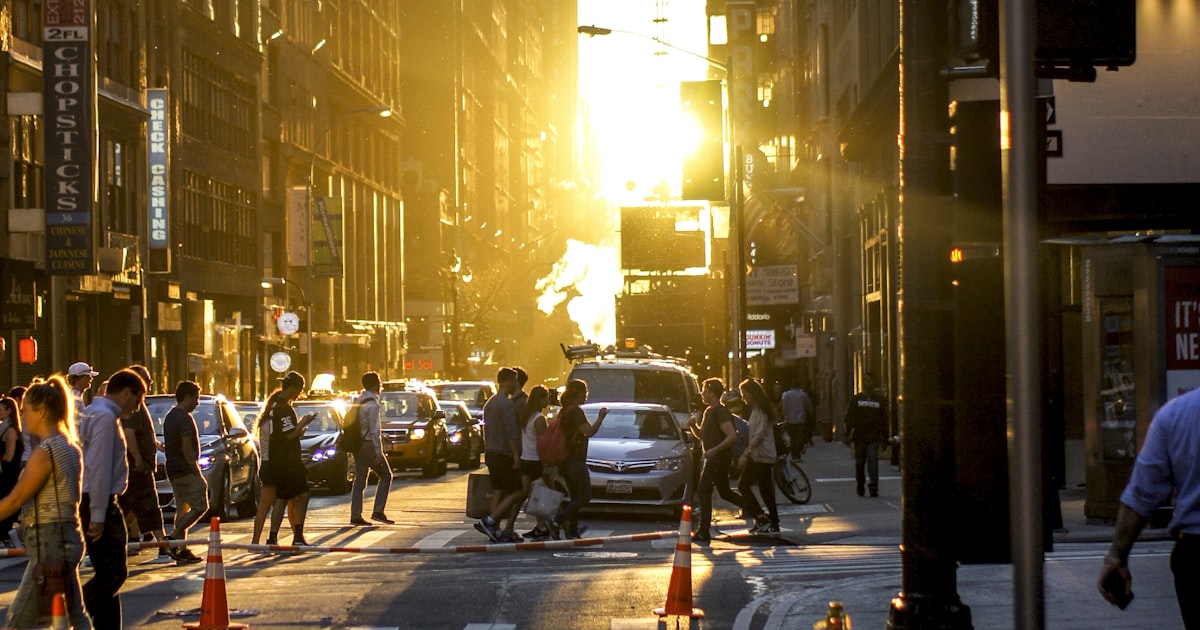
Kodak Gold was built for sunshine, and the GR III recipe thrives in it. The hour after sunrise and before sunset is ideal — the warm white balance amplifies the natural golden light rather than fighting it. Skin tones glow, foliage turns rich, and skies pick up a soft amber gradient.
Travel and street scenes
The warmth flatters textured, lived-in environments: market stalls, café terraces, old buildings, neon-lit evenings. Because the Ricoh GR III is so discreet, it's a natural fit for candid travel and street work where you want that nostalgic, film-snapshot feel without carrying a second camera.
Where to be careful
In heavy shade or under fluorescent and LED lighting, the 6900K white balance can read too warm and turn slightly orange. In those cases, drop the Kelvin value to around 6200–6500K to keep things believable. Overcast days also benefit from pulling back to roughly 6500K.
Getting the Most From the Recipe
A few practical habits will elevate your results well beyond the settings themselves.
Expose for the highlights
Negative Film handles shadows gracefully but, like real film, the GR III can lose highlight detail quickly. Use +0.3 to +0.7 exposure compensation in even light to lift midtones, but pull back in bright scenes to protect skies and bright surfaces. When in doubt, expose a touch under and let the warm tones do the work.
Shoot at lower ISO when you can
Gold 200 is, after all, an ISO 200 film. Keeping the Ricoh GR III at ISO 200–800 gives you the cleanest rendition of the recipe. The look still holds at higher ISOs, and a little grain even reinforces the analog vibe — but for the most faithful daytime results, keep it low.
Lean into 28mm storytelling
The GR III's fixed 28mm lens encourages you to get close and include context. That works beautifully with the Gold aesthetic, which is all about capturing moments rather than isolated subjects. Frame people within their environment, include foreground elements, and embrace the slightly imperfect, in-the-moment energy that made consumer film so charming.
Kodak Gold vs. Other Warm Film Recipes
If you love this look, it's worth understanding how it differs from neighboring recipes. A Portra-style recipe is warm but far more restrained — lower saturation and softer, more pastel tones aimed at portraits. Fuji Superia-style recipes push greens and cooler shadows for a different summer feel. Kodak Gold sits firmly in the warm, saturated, cheerful corner: it's the most "fun" of the bunch and the easiest to fall in love with.
Trying several warm recipes side by side on the same scene is the fastest way to learn what each white balance and saturation combination actually does — a great exercise for any Ricoh GR III owner building their own style.
Final Thoughts
The beauty of a Kodak Gold 200 recipe on the Ricoh GR III is how little it asks of you. Once it's saved to a User mode, you simply point, shoot, and get warm, finished, nostalgic JPEGs straight out of camera. No film costs, no scanning, no editing — just the timeless Gold look on demand.
If you'd like the exact, tested version of this recipe ready to load (plus dozens of other film-inspired looks), browse our Ricoh GR III preset collection. Each one is built and verified on a real GR III, so you can spend less time in menus and more time shooting.
Get a free recipe + 15% off your first order
Our Natural Analog recipe (exact settings for the GR III, GR IIIx and GR IV) and a personal discount code, straight to your inbox.
No spam. Unsubscribe in one click.