CineStill 800T Look on the Ricoh GR III: Complete Night Film Recipe
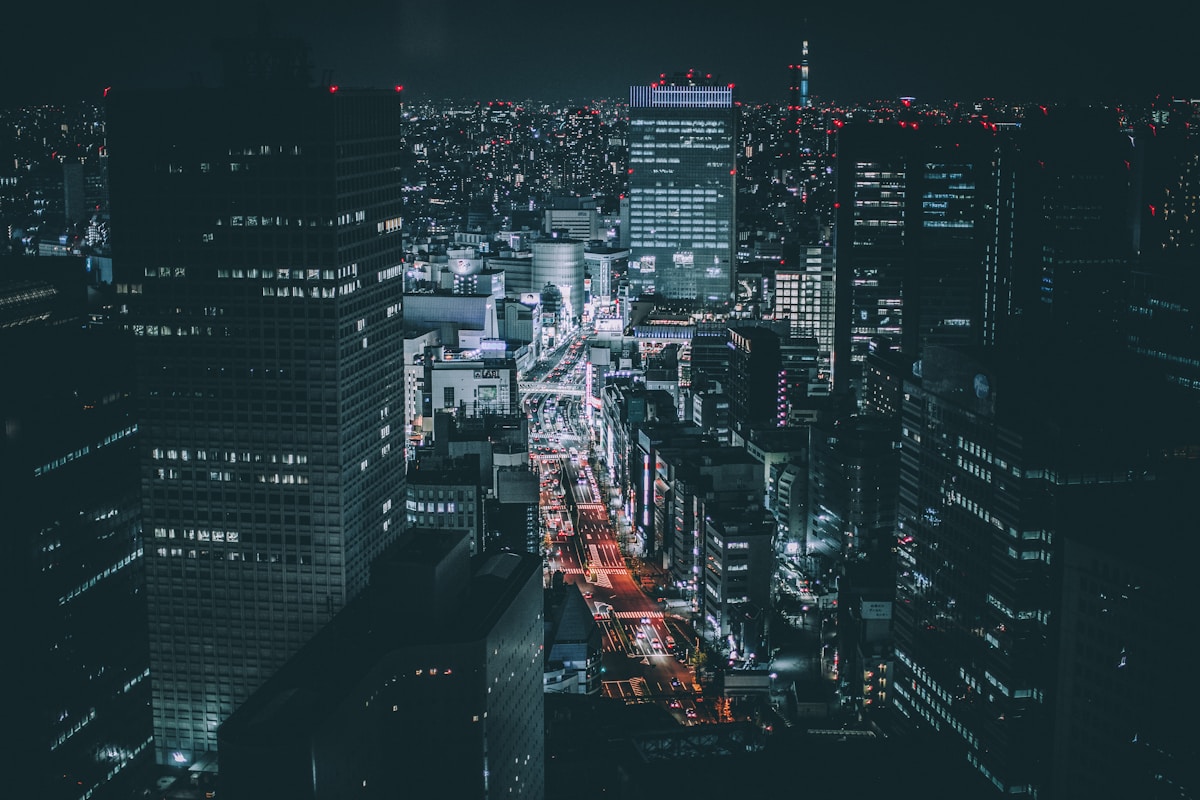
No film stock has defined the modern night-photography aesthetic quite like CineStill 800T. Born from repurposed Kodak Vision3 motion-picture film, it gives city nights that unmistakable cinematic glow — cool, tungsten-balanced color, deep cyan shadows, and the signature red halation that blooms around every bright light source. It's the look of neon signs reflected on wet asphalt, of streetlights bleeding softly into the dark. The good news: you can get remarkably close to that look in-camera with your Ricoh GR III — no film budget, no scanning, no lab.
In this guide we'll dial in a complete CineStill 800T film recipe for the Ricoh GR III, explain why each setting matters, and cover the light and subjects that make the look truly sing.
What Makes the CineStill 800T Look
Before touching the menu, it helps to know exactly what you're chasing. CineStill 800T has a signature that's quite different from a warm daylight stock:
- Tungsten (cool) color balance — it's engineered for artificial light, so daylight scenes read cool and blue while tungsten interiors look natural
- Glowing red halation — the famous red-orange halo around bright lights, caused by the film's removed anti-halation layer
- Deep, cyan-leaning shadows that keep night scenes moody rather than muddy
- Fine but present grain that adds texture without overwhelming detail
- Punchy-but-controlled contrast that holds neon highlights and street-level shadows together
Where Kodak Gold 200 shouts warmth, CineStill 800T whispers in cool blues and electric reds. The Ricoh GR III's Image Control system handles this beautifully: by pushing the white balance cool, lifting contrast in the shadows, and adding a touch of grain, you can land convincingly close to that motion-picture night look.
The Ricoh GR III CineStill 800T Recipe
Head into MENU > Image Control on your Ricoh GR III and dial in the following settings:
| Setting | Value | |---|---| | Base | Positive Film | | Saturation | +1 | | Hue | -1 | | Key (Brightness) | -1 | | Contrast | +2 | | Contrast (Highlight) | -1 | | Contrast (Shadow) | +2 | | Sharpness | +1 | | Clarity | +1 | | Shading | +1 | | Toning | 0 | | White Balance | Color Temp (K) | | WB Value | 3800K | | WB Compensation | B2 / M1 | | Grain Effect | Weak |
The settings doing the heavy lifting here are white balance and shadow contrast. Setting the camera to a cool 3800K with B2/M1 compensation is what gives CineStill its tungsten-balanced character — interiors lit by warm bulbs render neutral, while anything in daylight or shadow tips toward that signature blue. The +2 shadow contrast deepens the cyan-leaning shadows that make night scenes feel cinematic rather than flat.
The Positive Film base with +1 saturation keeps neon colors electric, while -1 hue nudges things slightly toward the cool side. A subtle Weak grain adds the analog texture that separates this from a clinical digital night shot. The -1 Key (brightness) protects your highlights — crucial when you're shooting bright signs and streetlights against the dark.
Pro tip: lean into the halation in post
The one thing the GR III can't fake in-camera is true halation — that physical red bloom around lights. Get 90% of the way there with this recipe, then add the final touch in editing: select your brightest highlights, add a soft red-orange glow, and feather it heavily. A little goes a long way, and it's what sells the CineStill look on neon signs and headlights.
Save it to a User Mode
Don't re-enter these settings every time. Save the recipe to one of the Ricoh GR III's User modes (U1, U2, U3) so the CineStill look is one dial-click away. Pair it with Snap Focus at 2m, ISO set to Auto up to 6400, and Aperture Priority at f/2.8, and you have a discreet night-shooting machine in your pocket.
If you'd rather skip the menu-diving entirely, our Indigo Film 800 preset packages a similar cinematic night recipe — including the camera screenshot — so you can copy it in under a minute.
Best Conditions for the CineStill 800T Look
CineStill 800T was engineered for one job above all: shooting at night under artificial light. Knowing when to reach for it makes a big difference.
Neon and city nights
This is the recipe's home turf. Point your Ricoh GR III at neon signage, glowing storefronts, and rain-slicked streets, and the cool balance plus deep shadow contrast does exactly what the film does — saturated electric color against moody darkness. Wet pavement after rain is a CineStill cliché for good reason: the reflections double every light source.
Tungsten-lit interiors
Bars, diners, late-night convenience stores, and parking garages lit by warm bulbs are perfect. Because the recipe is tungsten-balanced, those warm interiors render natural and neutral while any window to the outside world glows cool blue — that color contrast is the entire point of the look.
Blue hour and twilight
You don't have to wait until full dark. In the deep blue light just after sunset, the cool white balance amplifies the moody atmosphere, and early streetlights give you those first pools of warm light to play against the blue sky.
Shooting Tips for the CineStill Look
- Expose for the highlights. Real CineStill 800T holds shadow detail well but blows out bright lights into glowing blooms. Dial in -0.3 to -0.7 exposure compensation to protect neon and let the shadows fall dark and moody.
- Embrace higher ISO. This is an 800-speed film emulation — don't fight the dark. Let Auto ISO climb to 6400 on the Ricoh GR III; the APS-C sensor stays clean enough, and a little noise only reinforces the analog feel.
- Find your light sources. The look lives and dies by bright points of light in frame. Compose so a neon sign, a streetlamp, or a glowing window anchors the shot — that's where the magic happens.
- Use Snap Focus. Night autofocus can hunt. Pre-set Snap Focus to 2m, shoot at f/4–f/5.6 for depth of field, and you'll never miss a fleeting street moment to focus lag.
How It Compares to Our Daylight Film Recipes
If you've already tried our Kodak Gold 200 recipe or Kodak Portra 400 recipe, think of CineStill 800T as their after-dark counterpart. Gold 200 and Portra are warm, daylight-balanced stocks built for sunshine, skin, and nostalgia. CineStill flips every assumption: cool balance, electric color, and a look designed specifically for the hours after sunset. Many GR III shooters keep all three saved to User modes — Gold on U1 for daytime, Portra on U2 for portraits, and CineStill on U3 for the night shift. For more on dialing in your camera after dark, see our Ricoh GR III night photography settings guide.
Final Thoughts
CineStill 800T earned its cult status one neon-soaked frame at a time, and the Ricoh GR III is uniquely suited to chasing that look — small enough to disappear on a night street, fast enough to grab a passing moment, and equipped with an Image Control system flexible enough to render the cool, cinematic mood the film is famous for. Dial in the recipe above, lock it to a User mode, and head out after dark. You'll come back with night frames that have that unmistakable motion-picture glow — straight out of camera.
Ready to make it effortless? Browse our complete collection of Ricoh GR III presets, including cinematic night recipes like this one, or grab a bundle to get our most popular looks together at the best value.